Inkscape remains one of the most important free creative downloads in 2026 because the official project still exposes a strong release trail, clear platform packages, and a straightforward open-source license story. This review is based on official sources checked on April 20, 2026. I verified the official homepage, official download page, official learning or documentation hub, the current release announcement, and the Thaiware discovery listing used only for product provenance.
Key takeaways
- Inkscape is best for: A full vector graphics editor for people who need SVG-native illustration, diagram, logo, icon, or print design work without paying for Illustrator.
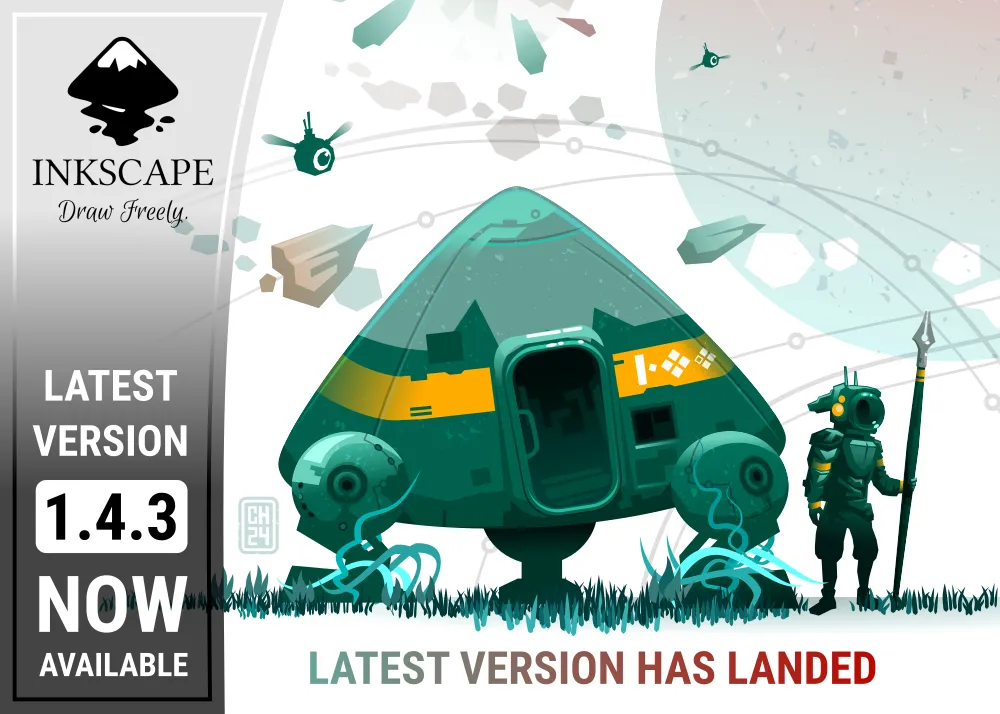
- Official proof checked: version 1.4.3, official download path, official docs or learn hub, and official release source.
- Download decision: use the official site, not Thaiware or random mirrors, for the real install path.
Official download path for Inkscape Review
Hubkub does not host installers. Use the official vendor/project page first, then use this review to check fit, limits, and safer setup notes.
Hubkub verification notes for Inkscape Review
- Official download/support links already cited on this page were checked as the preferred source path for Inkscape Review.
- Hubkub does not host installer files; the download action points readers back to the official vendor or project source.
- This page separates practical fit, trade-offs, and safety notes so readers can decide whether Inkscape Review matches their workflow.
Last updated: April 20, 2026
- Rechecked the official homepage, download path, docs or learning hub, and release source.
- Confirmed the current stable version, package or platform proof markers, and the official image path used for this review.
What I verified for this review
- Review type: official-source review
- Thaiware discovery URL: https://software.thaiware.com/2448.html
- Official homepage: https://inkscape.org/
- Official download URL: https://inkscape.org/release/inkscape-1.4.3/
- Official docs or help URL: https://inkscape.org/learn/
- Official release source: https://inkscape.org/news/2025/12/26/bugs-banished-inkscape-143-is-out/
- Latest stable version checked: 1.4.3
- Release date shown on the official page: December 26, 2025
- Current official package family checked: platform-specific GNU/Linux, Windows, macOS, and source-archive release pages
Official resources
Use the official source path below if you decide to install Inkscape.
Why Inkscape still matters in 2026
Inkscape still earns attention because its official source path is clear and its product identity is easy to explain. Thaiware works here only as the discovery layer. The truth layer for this page is the official vendor or project source, which is where the version, licensing, platform support, and download decisions were rechecked.
Inkscape also has a clearer intent than many borderline queue candidates. This is a canonical product page, not an install guide, alternatives list, or version roundup. The goal is simple: help a reader decide whether the official download is worth trusting and whether the product still fits the use case that makes people search for it.
Best for and real-world fit
Inkscape is best for people who need real vector graphics tools without paying for a subscription. The official site still positions it as a powerful free design tool, and the current release pages show that the project is actively maintaining platform builds across Linux, Windows, and macOS.
That matters most for buyers or creators who need SVG-native editing, icons, diagrams, UI assets, or logo work. If your workflow is mainly painting, Krita is a better fit. If your workflow is mostly raster cleanup on Windows, Paint.NET is simpler. But if you need vector-first editing, Inkscape is still the strongest free desktop option in this part of the catalog.
Pricing, license, and download reality
Pricing or license reality: Free and open-source. The official homepage states that Inkscape is licensed under the GPL.
This matters because Hubkub download pages should not blur freeware, freemium, trialware, and open-source software into one bucket. Inkscape has a comparatively clear official story, which makes it easier to recommend without misleading readers about what they will get after install.
Platform support and proof layer
Official OS support checked: GNU/Linux, Windows, macOS, and official source archives.
The official 1.4.3 release page exposes separate platform sections instead of hiding everything behind one generic button. That is a good trust signal for a creative tool because it reduces guesswork and lets users verify package style before downloading.
Exact package variants shown on the official release pages: Flatpak, Snap, AppImage, Ubuntu PPA, 64-bit EXE, MSI, 7z, Windows Store, Intel DMG, Apple Silicon DMG, and source archive xz tarball.
Inkscape vs alternatives in 2026
A canonical review should help readers choose, not just repeat features. This table keeps the decision grounded in what each tool does best.
| App | Best for | Pricing | Who should pick it |
|---|---|---|---|
| Inkscape | Best if you want a free SVG-first vector editor with real desktop depth. | Free and open-source | Designers who need vector work without subscription cost. |
| Krita | Best if your work is more painting and illustration than vector drawing. | Free and open-source | Artists focused on brush-based workflows. |
| Paint.NET | Best if you mostly need lightweight raster edits on Windows. | Free / optional paid Store route | Windows users who do not actually need vector-native tooling. |
| Adobe Illustrator | Best if you need the deepest commercial ecosystem and pro studio integrations. | Paid subscription | Teams already invested in Adobe's workflow. |
Safe official download notes for Inkscape Review
Use the official Inkscape release pages and choose the platform section that matches your operating system. Because Inkscape exposes multiple package styles across Linux, Windows, and macOS, the safest path is to stay on the official release pages instead of downloading old repacks from generic software mirrors.
That is the practical trust path for this page. Thaiware helped confirm discovery provenance, but the safest install path is still the official project or vendor source because that is where the current build, platform guidance, and release trail are actually maintained.
Inkscape Review pros and cons: fit notes
Pros
- Free and open-source with a clear GPL license story.
- Strong official cross-platform package visibility.
- Excellent fit for SVG-native design and vector work.
- Official learning and release resources are easy to verify.
Cons
- Commercial-team workflows may still prefer Illustrator.
- Open-source UI and workflow patterns can feel different for Adobe-first users.
- Some users who only need raster editing will be better served by lighter tools.
Alternatives worth checking
If your work is mostly digital painting, Krita is the stronger fit. If you only need quick Windows raster edits, Paint.NET is lighter. If you need the deepest paid design ecosystem, Illustrator still leads, but Inkscape remains the strongest free vector-first desktop option for many people.
For more software decisions in adjacent categories, see Krita Review 2026 | Paint.NET Review 2026 | Shotcut Review 2026.
Who should download Inkscape Review?
Inkscape is still a good download in 2026 if its actual strengths match your needs. The official source path is strong, the product intent is clear, and the trust story is easier to verify than it is for many weaker queue candidates. It is not automatically the best option for every reader, but it is strong enough to deserve a canonical Hubkub download page.
If you only remember one rule, remember this: use the official download path and judge the product by its real role, not by marketplace hype or stale third-party version pages.
Inkscape Review download and safety questions
Is Inkscape safe to download?
Yes, if you use the official Inkscape release pages. The project gives a clearer trust path than many freeware download portals because the official site itself exposes current release pages, platform-specific packages, release notes, and learning resources. That makes it easier to verify what you are installing.
Is Inkscape really free?
Yes. The official homepage describes Inkscape as free and open-source software, and the site explicitly points to GPL licensing. There is no subscription tier on the official download path, which is one of the main reasons Inkscape remains such an important recommendation for students, hobbyists, and budget-conscious teams.
Does Inkscape work on Windows, macOS, and Linux?
Yes. The official 1.4.3 release page exposes platform sections for GNU/Linux, Windows, and macOS, and it also offers source archives. That official cross-platform story is much stronger than many niche design tools that only maintain one desktop operating system properly.
Is Inkscape good enough instead of Illustrator?
For many people, yes, especially if your main work is SVG editing, diagrams, icons, or general vector design and you care more about ownership and cost than about Adobe ecosystem integration. Illustrator is still deeper in some commercial workflows, but Inkscape is strong enough for a large share of real-world vector tasks.
What is the biggest downside of Inkscape?
The biggest downside is not trust or pricing. It is workflow fit. If you are coming from Adobe-heavy teams, some polish, collaboration patterns, and plugin expectations will feel different. Inkscape is powerful, but it rewards users who are comfortable working in an open-source desktop design environment.
Related Hubkub reads: Krita Review 2026 | Paint.NET Review 2026 | Shotcut Review 2026
Reader-first software checklist
Before installing or switching to this software, use this quick checklist to confirm whether it fits your needs and risk tolerance.
- Official source: prefer the developer website, official documentation, or a clearly trusted distribution channel.
- Platform fit: check whether your Windows, macOS, Linux, Android, or iOS version is supported.
- License and cost: confirm whether the app is free, open source, freemium, trial-based, or paid.
- Privacy and permissions: review what files, folders, network access, account data, or browser permissions the app may use.
- Backup first: for recovery, storage, networking, privacy, or system utilities, back up important data before changing settings.
Safe download and setup notes
Hubkub does not recommend clicking misleading download buttons or installing unknown bundles. When possible, use the official source and avoid third-party installers that add toolbars, browser changes, or unrelated offers. After downloading, verify the file name, publisher, version, and installer prompts before continuing.
Pros, limits, and alternatives to consider
- Best fit: readers who need the core function described in this guide and prefer a practical setup path.
- Watch out for: outdated versions, unsupported platforms, unclear installers, or features that require paid upgrades.
- Compare alternatives: if this app feels too complex, too limited, or not maintained enough for your workflow, compare it with similar tools before installing.
Related Hubkub resources: Safe Software Downloads, Software Reviews, How We Review Software, and Content Quality Standards.
FAQ
Should I download this software from any mirror site?
Use the official developer website or a trusted distribution channel whenever possible. Mirror sites can be useful in limited cases, but they may also include outdated installers, misleading ads, or unwanted bundles.
What should I check before installing?
Check the publisher, version, license, supported operating system, installer prompts, and whether the app requests sensitive permissions.