Brave Browser is still one of the easiest privacy-first browser downloads to justify in 2026 if you want a mainstream browser with a clear official source trail and broad platform support. This review is based on official sources checked on April 20, 2026. I verified Brave’s official homepage, official download page, official FAQ, official Linux installation page, official release notes, official GitHub repository, official desktop changelog, and the Thaiware discovery listing used only for product provenance.
Key takeaways
- Brave Browser is best for people who want a Chromium-based browser with built-in ad and tracker blocking, official support across desktop and mobile, and a cleaner download trust story than many random browser mirrors.
- Official proof checked: version 1.89.137, official download path, official FAQ and Linux docs, official GitHub repository, and official desktop release notes and changelog.
- Download decision: use the official Brave download page or Brave’s official GitHub release surface, not Thaiware or unofficial repacks, when you want the current installer path.
Official download path for Brave Browser Review
Hubkub does not host installers. Use the official vendor/project page first, then use this review to check fit, limits, and safer setup notes.
Hubkub verification notes for Brave Browser Review
- Official download/support links already cited on this page were checked as the preferred source path for Brave Browser Review.
- Hubkub does not host installer files; the download action points readers back to the official vendor or project source.
- This page separates practical fit, trade-offs, and safety notes so readers can decide whether Brave Browser Review matches their workflow.
Last updated: April 20, 2026
- Rechecked the official homepage, official download page, official FAQ, Linux installation page, release notes, repository, and desktop changelog.
- Confirmed the current official desktop version signal, cross-platform support claims, repository license label, and the official image URL used for this review.
What I verified for this review
- Review basis: official source checks
- Thaiware discovery URL: https://software.thaiware.com/13273.html
- Official homepage: https://brave.com/
- Official download URL: https://brave.com/download/
- Official FAQ/help URL: https://brave.com/faq/
- Official Linux/install docs: https://brave.com/linux/
- Official release notes: https://brave.com/latest/
- Official repo: https://github.com/brave/brave-browser
- Official desktop changelog: https://github.com/brave/brave-browser/blob/master/CHANGELOG_DESKTOP.md
- Latest stable version checked: 1.89.137
- Release date shown on official source: April 16, 2026
- License checked: free and open-source browser; repository license shown as Mozilla Public License 2.0 (MPL 2.0)
- Supported platforms verified: Windows, macOS, Linux, Android, iOS
- Image mode used: official_screenshot
- Official featured_image_url: https://brave.com/static-assets/images/optimized/home-assets/images/desktop-brave-allrecipes.webp
Official resources
Use Brave’s official source path below if you decide to install it.
Why Brave still matters in 2026
Brave still matters because it sits in a useful middle ground that many browser pages fail to explain clearly. On one side, you have giant default browsers that most people use because they came preinstalled or because a Google account made the choice feel automatic. On the other side, you have niche privacy browsers that may sound good in theory but feel unfamiliar, under-documented, or harder to trust at download time. Brave remains relevant because the official source trail is easy to verify, the product identity is still understandable from the official site, and the browser is available across the platforms that normal users actually use.
The official homepage still frames Brave around three big themes: blocking ads and trackers, improving browsing speed, and reducing privacy annoyances. That does not automatically make it the best browser for every person, but it does make the product promise easy to check against Brave’s own official pages. The official download page clearly exposes desktop links for Linux, macOS, and Windows, and it also links users to Android and iOS stores for the mobile versions. That cross-platform coverage is one reason Brave deserves a canonical review instead of a throwaway listing.
Brave also has a stronger provenance story than many browser downloads floating around software directories. Thaiware is useful here only as a discovery signal. The actual trust layer comes from Brave’s own homepage, download page, docs, and GitHub repository. When a reader is trying to decide whether a browser download is safe enough to trust, that official chain matters more than a third-party catalog page that may lag behind current releases.
What the official sources prove
The biggest factual anchor for this review is version proof. Brave’s official release notes page shows Release Notes v1.89.137 (Apr 16, 2026) for desktop, and the official GitHub release page also labels the same desktop release as v1.89.137 (Chromium 147.0.7727.102). The official desktop changelog in the Brave repository matches that version line and includes the same release-note items, including the Chromium upgrade note. That consistency across Brave’s site and its public repository is exactly what you want to see on a download page that aims to be trustworthy.
The official repository also matters because license claims around browsers are often fuzzy in third-party writeups. In Brave’s GitHub repository, the LICENSE page explicitly shows Mozilla Public License 2.0. That supports the user-provided truth constraint that Brave is a free and open-source browser and gives this review a precise repository license label instead of a vague “open-source-ish” description. For a downloads page, that distinction matters because users often want to know whether the codebase is publicly auditable or whether “free” only means no upfront payment.
Platform support is also unusually easy to verify from Brave’s official pages. The official homepage says users can download Brave for Android, iOS, Linux, macOS, or Windows. The official download page separately confirms the desktop and mobile paths. The Linux page goes further by documenting installation methods for Debian, Ubuntu, Mint, Fedora, Rocky, RHEL, OpenSUSE, Arch, Flatpak, and Snap, and it notes support for both amd64 and arm64 architectures. That does not mean every platform gets the exact same experience, but it does mean Brave has a broader official support footprint than many smaller privacy browsers.
Best for and real-world fit
Brave is best for users who want less friction between mainstream compatibility and stronger default privacy posture. If you need a browser that feels familiar, supports the platforms most households use, and does not make ad and tracker blocking an afterthought, Brave remains an easy recommendation to consider. The official site emphasizes built-in blocking rather than asking users to assemble a browser setup out of extensions and settings pages, and that convenience is part of the product’s appeal.
That said, Brave is not a magic browser for every workflow. Some people want the deepest tie-in to Google’s services, some want Mozilla’s ecosystem on principle, and some want a minimal browser with as little product surface area as possible. Brave sits closer to the “mainstream browser with extra privacy controls” camp than to the “barebones specialty browser” camp. Readers who dislike built-in extras such as Brave Search, Leo, Rewards, Wallet, or VPN marketing may decide the browser offers more surface area than they want, even if they like the privacy positioning. That is a fit question, not necessarily a trust failure.
In practical terms, Brave makes the most sense for people who want to install one browser and get immediate benefits without hunting for add-ons first. It is also a reasonable candidate for users moving across devices, because the official pages keep the platform story clear instead of burying mobile or Linux support behind separate communities. If your priority is a recognizable desktop-and-mobile browser with a public repository and a clear release trail, Brave still fits well.
Pricing, license, and download reality
The pricing story is straightforward: Brave Browser is free to download. The more important nuance is that the project is not just freeware in the casual directory sense; the repository is publicly available and the repository license is shown as MPL 2.0. That gives Brave a cleaner truth layer than software that is marketed as free but hides its code or blurs licensing boundaries across editions.
For a Hubkub downloads page, the practical effect is readers often need a plain-language answer to a simple question: am I downloading a genuinely open project, or just a zero-cost product with a closed trust model? Based on the official repository, Brave qualifies as free and open-source, even though it is also a polished commercial product run by Brave Software. That mix can be attractive for users who want mainstream product development without giving up a visible repository and public changelog trail.
The download reality is equally important. The official download page is the safest default route for regular users. The Linux page adds official repository instructions for package-based installs, and the GitHub releases page provides another official source for release artifacts and changelog context. The practical guidance is simple: use Brave’s official pages first, and treat third-party software portals as discovery pages rather than installation sources.
Platform support and proof markers
Brave’s official platform support is broad enough to be a real selling point. On the consumer side, Brave officially supports Windows, macOS, Linux, Android, and iOS. On Linux, the documentation is stronger than a generic “Linux supported” claim because it lists concrete installation methods and architectures. The official page also warns that Flatpak and Snap are available but recommends Brave’s official package repositories when possible. That is exactly the kind of practical, source-backed nuance a good review should preserve.
The official GitHub release page gives useful artifact clues without forcing this review to overclaim. For Linux, the release page references DEB and RPM packages and points back to the Linux installation page. For macOS, it mentions Brave-*-*.dmg and Brave-*-*.pkg. For Windows, it states that Brave*Setup.exe fetches and installs the latest available version for the CPU architecture. Those proof markers are enough to show that Brave maintains a live release pipeline across the major desktop platforms.
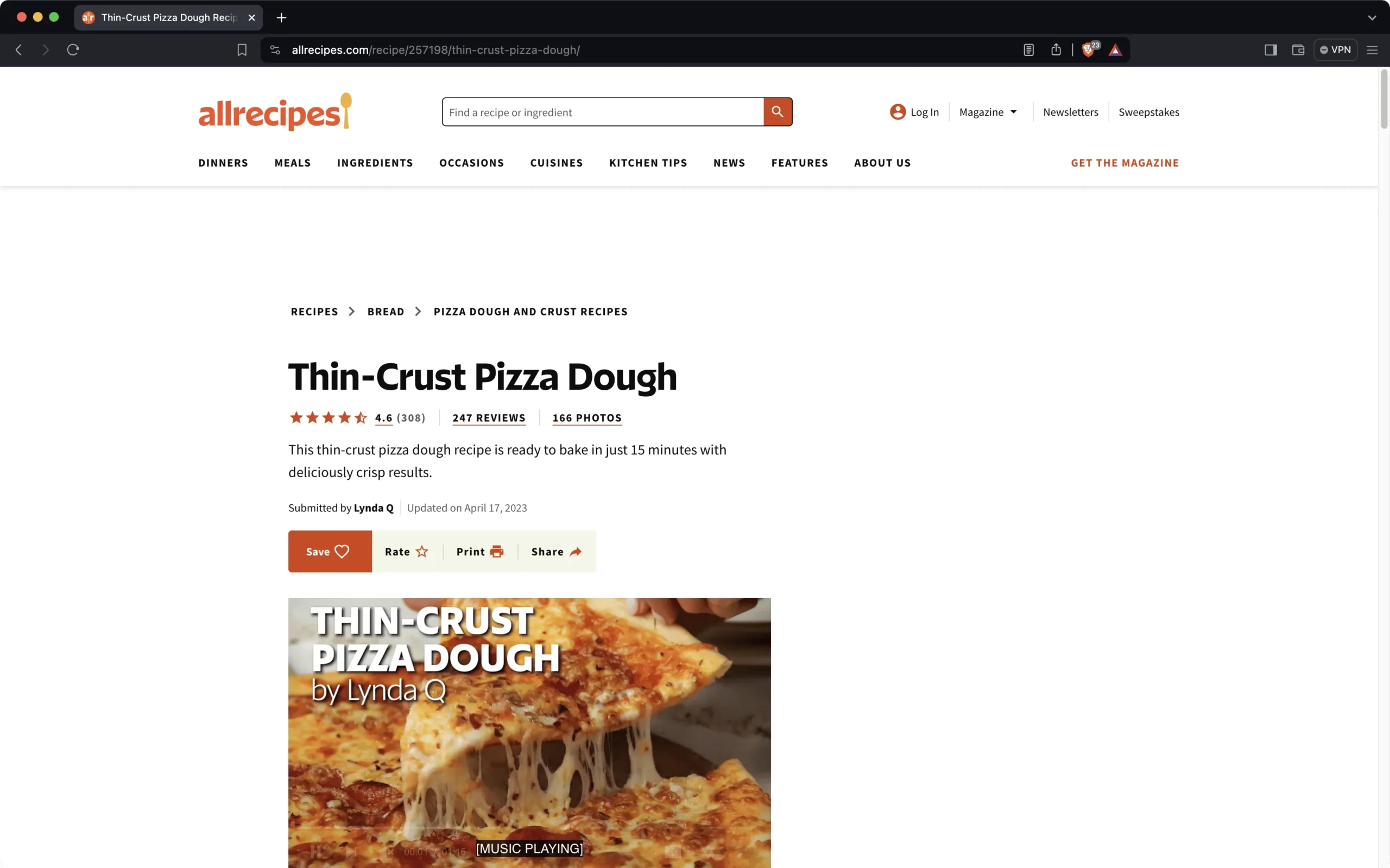
The featured image choice for this package also stays truthful. I used an official Brave homepage comparison screenshot showing a recipe page with ads blocked in Brave. That is not a direct screenshot of every browser feature, but it is an official image published by Brave and it visually matches the privacy-and-speed positioning emphasized on the homepage. In other words, it is a legitimate official screenshot, not a made-up illustration or third-party asset.
Brave vs common alternatives in 2026
| Browser | Best for | Official trust angle | Who should pick it |
|---|---|---|---|
| Brave | Users who want built-in ad and tracker blocking with wide platform support. | Clear official download path, public repo, public changelog, MPL 2.0 repository license. | People who want mainstream compatibility with stronger default privacy posture. |
| Chrome | Users deeply tied to Google’s ecosystem and defaults. | Very mainstream, but not positioned around the same privacy pitch. | People who prioritize ecosystem convenience over Brave’s privacy-first framing. |
| Firefox | Users who prefer Mozilla’s browser ecosystem and extension culture. | Strong official trust story, but different engine and product priorities. | People who want a major non-Chromium alternative. |
| Edge | Windows users who prefer sticking with the built-in Microsoft path. | Easy to access by default, but not the same privacy-oriented identity. | People who value convenience inside Microsoft’s ecosystem. |
That comparison is intentionally simple. The point is not to claim that Brave destroys every other browser in every category. The point is that Brave’s strongest case is easiest to understand when you frame it as a mainstream-capable browser with stronger privacy defaults and a well-documented official source trail.
Brave Browser Review pros and cons: fit notes
Pros
- Official download path is easy to verify across desktop and mobile.
- Public repository, public changelog, and visible MPL 2.0 repository license strengthen trust.
- Cross-platform support covers Windows, macOS, Linux, Android, and iOS.
- Linux documentation is detailed enough to prove active support, not just vague compatibility.
- Built-in ad and tracker blocking remains a clear official product differentiator.
Cons
- Brave’s broader feature surface may feel busy if you only want a stripped-down browser.
- Privacy-first marketing does not remove the need to evaluate each built-in service on its own terms.
- Some users will still prefer Firefox’s ecosystem or Chrome’s account integration.
- Third-party directory pages can lag behind the official release cadence, so source discipline still matters.
Safe official download notes for Brave Browser Review
If you decide to install Brave, the safest path is to start at the official Brave download page. If you are on Linux, use Brave’s official Linux instructions and package repositories when possible instead of relying on repackaged builds. If you want a second proof layer, compare the version listed on the official release notes page with the version listed on the official GitHub release and desktop changelog. That cross-check is one of the cleanest trust signals available for this software.
Just as important, avoid treating Thaiware or other catalog sites as the final installation source for browsers. Discovery portals can be useful, but browsers are security-sensitive software. The more critical the software category, the more important it is to prefer the vendor’s official source chain over random mirrors.
Who should download Brave Browser Review?
Brave Browser is still a strong download in 2026 if its real strengths line up with your needs. The official release trail is easy to verify, the cross-platform support is clearly documented, the repository license is plainly labeled, and the browser’s value proposition is understandable from official pages without guessing. That combination makes Brave stronger than many download candidates that sound popular but fall apart under basic source checks.
The main reason to choose Brave is not hype about being “the best browser” in every dimension. It is that Brave gives many users a realistic privacy upgrade without pushing them into a fringe workflow. If you want a browser that is free, open-source, officially documented across desktop and mobile, and straightforward to verify before you download it, Brave still deserves a place on a canonical Hubkub downloads page.
Brave Browser Review download and safety questions
Is Brave Browser safe to download?
Brave is safest when you use the official Brave download page, Brave’s official Linux instructions, or Brave’s official GitHub release surface. The trust case is stronger than a generic directory listing because Brave exposes a public repository, public release notes, and a public desktop changelog. As with any browser, the safe choice starts with the official source, not a random mirror.
Is Brave really free and open-source?
Yes. Based on the official repository and LICENSE page, Brave is a free and open-source browser, and the repository license is shown as Mozilla Public License 2.0. That does not mean every reader will like every Brave feature, but the repository and license truth are easy to verify from official sources.
Does Brave support Windows, macOS, Linux, Android, and iOS?
Yes. Brave’s official homepage and download page confirm support across all five of those platforms. The Linux page adds more detail with official instructions for multiple distributions and architectures, which strengthens the support claim rather than leaving it vague.
What version did you verify for this review?
I verified Brave desktop version 1.89.137 from Brave’s official release notes page and from the official GitHub release and desktop changelog. The official release date shown for that version is April 16, 2026.
Who should choose Brave over another browser?
Brave makes the most sense for users who want a familiar mainstream browser shape with stronger default privacy posture and an official download story that is easy to verify. If you are happy with Chrome’s ecosystem or want Firefox specifically, Brave may not replace those preferences. But if you want a clear middle path between convenience and privacy, Brave remains a very credible option.
Related Hubkub reads: Signal Desktop Review 2026 | KeePassXC Review 2026 | qBittorrent Review 2026
Software review and safety note
Hubkub reviews software pages with a safety-first checklist: we check the product purpose, supported platforms, license or pricing signals, common user risks, official documentation or vendor pages where available, and whether the download path could confuse readers. For safety, prefer the developer’s official website or a clearly trusted source, avoid installer bundles you do not recognize, and scan downloaded files with your device security tools before installing.
Learn more about our standards in Editorial Policy, Content Quality Standards, and Corrections Policy.
Related Hubkub resources
Reader-first software checklist
Before installing or switching to this software, use this quick checklist to confirm whether it fits your needs and risk tolerance.
- Official source: prefer the developer website, official documentation, or a clearly trusted distribution channel.
- Platform fit: check whether your Windows, macOS, Linux, Android, or iOS version is supported.
- License and cost: confirm whether the app is free, open source, freemium, trial-based, or paid.
- Privacy and permissions: review what files, folders, network access, account data, or browser permissions the app may use.
- Backup first: for recovery, storage, networking, privacy, or system utilities, back up important data before changing settings.
Safe download and setup notes
Hubkub does not recommend clicking misleading download buttons or installing unknown bundles. When possible, use the official source and avoid third-party installers that add toolbars, browser changes, or unrelated offers. After downloading, verify the file name, publisher, version, and installer prompts before continuing.
Pros, limits, and alternatives to consider
- Best fit: readers who need the core function described in this guide and prefer a practical setup path.
- Watch out for: outdated versions, unsupported platforms, unclear installers, or features that require paid upgrades.
- Compare alternatives: if this app feels too complex, too limited, or not maintained enough for your workflow, compare it with similar tools before installing.
Related Hubkub resources: Safe Software Downloads, Software Reviews, How We Review Software, and Content Quality Standards.
FAQ
Should I download this software from any mirror site?
Use the official developer website or a trusted distribution channel whenever possible. Mirror sites can be useful in limited cases, but they may also include outdated installers, misleading ads, or unwanted bundles.
What should I check before installing?
Check the publisher, version, license, supported operating system, installer prompts, and whether the app requests sensitive permissions.