Syncthing is still one of the most credible file-sync downloads in 2026 if what you actually want is direct device-to-device syncing without handing your files to a default cloud storage provider first. This review is based only on official sources checked on April 20, 2026. I verified the official homepage, official downloads page, official documentation home, the official getting-started guide, the official FAQ, the official releases explainer, the current official release source, and the Thaiware discovery listing used only for product provenance. I did not stage a new multi-device sync test for this update, so this page stays disciplined about what the official sources prove versus what would require a hands-on lab run.
Last updated: April 20, 2026
- Rechecked the official Syncthing homepage, downloads page, docs surface, FAQ, and release source for current public version and platform evidence.
- Confirmed the official featured image path is still live and that the latest public release source resolves to v2.0.16.
Key takeaways
- Syncthing is best for people who want private file sync between their own devices without default vendor cloud lock-in, subscriptions, or a mandatory hosted account.
- Official proof checked: homepage, official downloads page, docs, getting-started guide, FAQ, releases explainer, and the current official latest-release source showing v2.0.16.
- Download decision: use the official Syncthing site and official release path, not a random mirror or third-party repack, when you want the real current package trail.
Official download path for Syncthing Review
Hubkub does not host installers. Use the official vendor/project page first, then use this review to check fit, limits, and safer setup notes.
Hubkub verification notes for Syncthing Review
- Official download/support links already cited on this page were checked as the preferred source path for Syncthing Review.
- Hubkub does not host installer files; the download action points readers back to the official vendor or project source.
- This page separates practical fit, trade-offs, and safety notes so readers can decide whether Syncthing Review matches their workflow.
What I verified for this review
- Review type: official-source review
- Verified on: April 20, 2026
- Thaiware discovery URL: https://software.thaiware.com/12573.html
- Official homepage: https://syncthing.net/
- Official download URL: https://syncthing.net/downloads/
- Official docs home: https://docs.syncthing.net/
- Official getting started URL: https://docs.syncthing.net/intro/getting-started.html
- Official FAQ/help URL: https://docs.syncthing.net/users/faq.html
- Official versions/releases explainer: https://docs.syncthing.net/users/releases.html
- Official latest release source: https://github.com/syncthing/syncthing/releases/latest
- Latest stable version checked: v2.0.16
- Release date shown on the official release source: April 7, 2026
- Official OS support checked: Windows, macOS, Linux, FreeBSD, OpenBSD, illumos
- License truth: Free and open-source, MPL-2.0
- Current official package artifacts seen: syncthing-linux-amd64-v2.0.16.tar.gz and syncthing-macos-universal-v2.0.16.zip
- Image mode used: official_screenshot
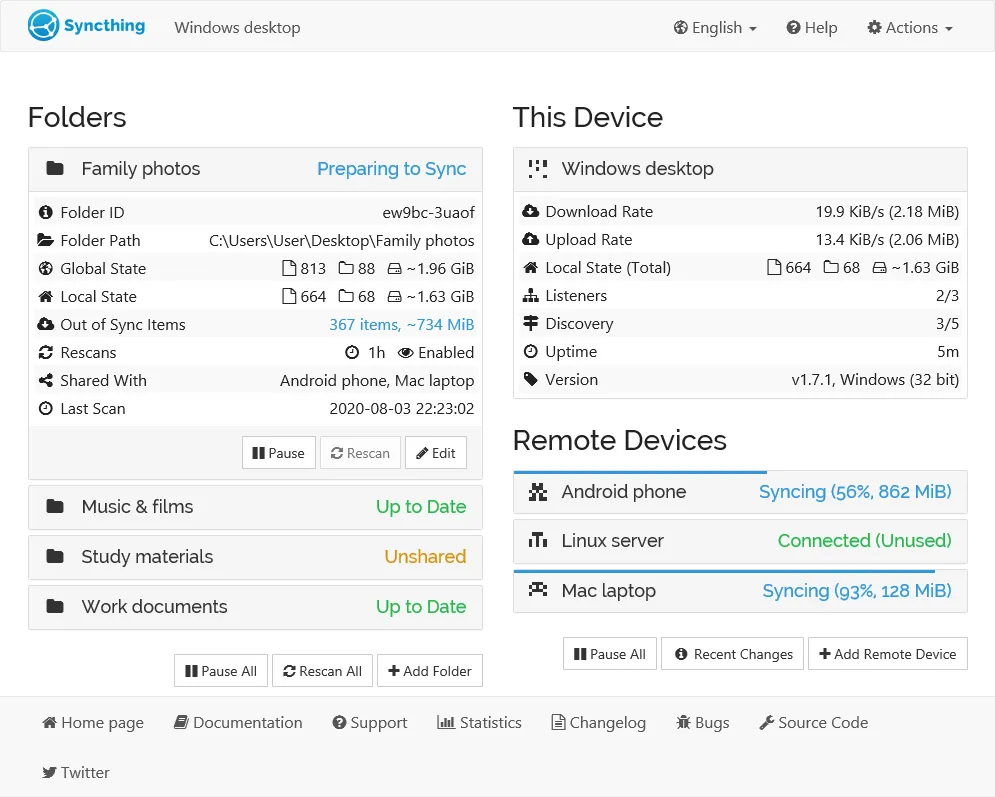
- Official featured image URL checked: https://docs.syncthing.net/_images/gui1.png
Official resources
Who should use Syncthing and who should skip it
Use it if: you want a file-sync tool that keeps control centered on your own devices, you are comfortable learning a web-based local interface, and you value open-source software over a polished subscription ecosystem.
Skip it if: you mainly want effortless team collaboration, built-in online document editing, or a hosted storage account that works like a traditional cloud drive out of the box.
That distinction matters because Syncthing is often misunderstood. It is not trying to be Dropbox, Google Drive, or Microsoft OneDrive with a different logo. Its official positioning is about continuous synchronization between devices. That makes it powerful for people who want their laptop, desktop, home server, or NAS-like machine to stay in sync, but it also means the software asks you to think about folders, device trust, and connectivity in a more deliberate way than a mainstream cloud consumer app.
If that sounds like extra work, it may be the wrong fit. If it sounds like regained control, it is exactly why Syncthing still deserves attention.
Pricing, license, and trust story
Syncthing has one of the clearer trust stories in this category because the official project still presents it as free and open-source software, and the license truth for this review is MPL-2.0. There is no official pricing grid on the main download flow because the core product is not framed as a freemium desktop trap. That matters for a canonical downloads page: users should know whether they are about to install a genuinely free tool, a limited trial, or a product that will demand a payment upgrade after setup. Syncthing is in the first group.
The more important trust question is not just money. It is whether the official source path feels coherent and verifiable. Here, the answer is yes. The official homepage points to the official downloads page, the documentation is public and organized, the getting-started guide is easy to find, the FAQ is public, and the latest release source resolves cleanly to the current tag. That is a much healthier proof chain than what you get from many generic download portals, which is why the safest recommendation for this page is simple: discover through Thaiware if you want, but install through the official project path.
This does not guarantee that Syncthing is the right tool for every person. It means the official identity, licensing, and version trail are unusually straightforward for a synchronization product that can also be used in fairly technical environments.
Supported platforms, current version, and what the official downloads page proves
The official support picture checked for this review covers Windows, macOS, Linux, FreeBSD, OpenBSD, and illumos. That alone makes Syncthing more versatile than many consumer sync tools that quietly center only one or two platforms. More importantly, the official downloads page does not hide behind vague marketing language. It exposes concrete package names tied to the current release version, including examples such as syncthing-linux-amd64-v2.0.16.tar.gz and syncthing-macos-universal-v2.0.16.zip. The Windows section also exposes a native ZIP package line for the same release family.
Those proof markers matter because they tell you the project is not just claiming cross-platform support in abstract terms. The downloads page surfaces real build artifacts by operating system and architecture. During this review, the latest release source resolved to v2.0.16, and the corresponding GitHub release page exposed an official release date of April 7, 2026. That is enough evidence to treat the current public version story as clear and current.
I also want to be careful about what I am not claiming. I did not benchmark transfer speed, stress-test conflict resolution, or run a fresh LAN-versus-WAN replication comparison for this update. So the strongest claims on this page are about source quality, official support range, and trust in the download path—not performance under every real-world topology.
What Syncthing actually does well in 2026
Syncthing remains appealing because it solves a specific problem cleanly: keeping folders synchronized between devices you control. For users who dislike uploading personal files into a default commercial cloud account, that is still a compelling proposition. The official docs continue to support this positioning by focusing on device setup, folder sharing, IDs, introductions, relaying, and practical configuration topics rather than on a hosted SaaS pitch.
That practical identity gives Syncthing a different kind of value from mainstream cloud drives. It is stronger when you care about privacy, local control, and the flexibility to sync across mixed operating systems. It is weaker when you want centralized team admin, polished office-suite collaboration, or a dead-simple consumer onboarding flow with almost no concepts to learn. In other words, Syncthing is not “better cloud storage.” It is a better fit for users who do not want the default cloud-storage model in the first place.
That is also why the software keeps showing up in enthusiast, homelab, and privacy-conscious conversations. The appeal is not flashy design. The appeal is that the project continues to provide a transparent open-source path for a job that many people otherwise hand to subscription ecosystems.
Syncthing vs managed cloud sync tools
| Option | Best when | Main trade-off |
|---|---|---|
| Syncthing | You want private device-to-device sync without default vendor cloud lock-in | You take on more setup responsibility and do not get a built-in hosted storage account |
| Dropbox-style cloud drives | You want a managed account, browser access, and easy mainstream onboarding | Less local-control-first philosophy and more dependence on a hosted vendor platform |
| Google Drive or OneDrive-style ecosystems | You care more about collaboration suites and bundled cloud services than sync autonomy | Your files and workflow become more tightly attached to a broader platform ecosystem |
| Resilio Sync-style alternatives | You want another sync-first path and are comparing trust models | You still need to judge licensing, product direction, and official source clarity separately |
The point of the comparison is not that Syncthing replaces every cloud workflow. It is that Syncthing occupies a genuinely different buying decision. If your priority is autonomy and peer-style syncing, the project still looks strong. If your priority is managed cloud convenience, it may feel like the wrong abstraction from day one.
Safe official download notes for Syncthing Review
The safe-download rule for Syncthing is straightforward: start at https://syncthing.net/, move to https://syncthing.net/downloads/, and use the linked official release artifacts when you need the current build for your platform. The Thaiware page in this review is only a discovery reference. It is not the authoritative source for the current version, docs, or release trail.
That distinction matters because synchronization tools are exactly the kind of software where unofficial repacks can create avoidable risk. If a mirror strips away the documentation, the release notes, or the surrounding trust context, you lose most of the evidence that makes the install decision rational in the first place. The official project pages restore that context. They also make it easier to reach the getting-started guide and FAQ immediately after download, which is useful because first-run setup is part of the product experience here.
If you want a few adjacent Hubkub reads before deciding, see Joplin Review 2026, Signal Desktop Review 2026, and VeraCrypt Review 2026. Those tools solve different problems, but they are relevant if your real goal is private control over notes, communication, or sensitive local data alongside file synchronization.
Syncthing Review pros and cons: fit notes
Pros
- Free and open-source with a clear MPL-2.0 licensing truth
- Official download path is easy to verify and exposes real package artifacts by platform
- Broad official support range across Windows, macOS, Linux, FreeBSD, OpenBSD, and illumos
- Strong fit for users who want device-to-device sync without default cloud lock-in
- Official docs, getting-started guide, FAQ, and release explainer are all publicly available
Cons
- Not the easiest fit for users who want a frictionless mainstream cloud-drive experience
- No claim here of hands-on performance testing for this update, so speed and conflict handling were not freshly benchmarked
- Setup concepts such as devices, folders, permissions, and connectivity can feel more technical than consumer cloud apps
- Not a substitute for a full backup strategy just because it synchronizes files
Alternatives and overlap note
The biggest overlap risk for a page like this is confusing sync with backup or confusing open-source autonomy with consumer simplicity. Syncthing is attractive because it avoids the default cloud lock-in pattern, but that same design makes it less turnkey than managed storage ecosystems. If a reader needs collaborative docs, corporate admin controls, or a polished zero-thinking onboarding flow, a managed cloud service may still be the better fit. If the reader wants private synchronization between personally controlled devices, Syncthing remains the cleaner answer.
That is why the product still deserves a canonical review page. It is not just another generic file utility. It fills a specific role that mainstream tools often do not serve well: syncing without requiring users to hand the whole workflow to a hosted vendor account by default.
Who should download Syncthing Review?
Syncthing is still a strong download in 2026 for the users it is actually built for. The official trust path is coherent, the docs are active and public, the supported-platform story is broad, and the latest release signal was easy to verify at v2.0.16. That does not mean it is the best file tool for everyone. It means the project still earns a recommendation when your real goal is private, open-source, device-to-device synchronization instead of a managed cloud subscription.
If you remember one rule from this review, remember this: download Syncthing from the official site, then judge it by whether you want autonomous sync—not by whether it imitates a mainstream cloud drive.
Syncthing Review download and safety questions
Is Syncthing free to use?
Yes. For this review, the license truth checked is free and open-source, MPL-2.0. The official source path does not present Syncthing as trialware or a paywalled desktop app.
Is Syncthing a cloud storage service?
Not in the usual managed-account sense. Syncthing is better understood as a synchronization tool for devices you control. That is why it appeals to users who want less vendor lock-in and more local control over where their files live.
Does Syncthing work on Windows, macOS, and Linux?
Yes. The official support range checked for this review includes Windows, macOS, Linux, FreeBSD, OpenBSD, and illumos. The downloads page also exposes concrete release artifacts for multiple platforms and architectures.
Do I need an account to download or start using Syncthing?
The official project pages checked for this review do not frame Syncthing around a mandatory hosted account. The core workflow is about connecting devices and syncing folders rather than signing up for a bundled cloud subscription first.
Is Syncthing a backup replacement?
No. Synchronization and backup are not the same thing. Syncthing can help keep folders aligned across devices, but that does not make it a complete backup strategy by itself. If your primary goal is recovery from deletion, corruption, or disaster, you should still think in backup terms, not just sync terms.
Where should I download Syncthing?
Use the official download path at https://syncthing.net/downloads/. That is the safest route because it keeps the version story, platform packages, docs, and official release trail connected in one place.
Reader-first software checklist
Before installing or switching to this software, use this quick checklist to confirm whether it fits your needs and risk tolerance.
- Official source: prefer the developer website, official documentation, or a clearly trusted distribution channel.
- Platform fit: check whether your Windows, macOS, Linux, Android, or iOS version is supported.
- License and cost: confirm whether the app is free, open source, freemium, trial-based, or paid.
- Privacy and permissions: review what files, folders, network access, account data, or browser permissions the app may use.
- Backup first: for recovery, storage, networking, privacy, or system utilities, back up important data before changing settings.
Safe download and setup notes
Hubkub does not recommend clicking misleading download buttons or installing unknown bundles. When possible, use the official source and avoid third-party installers that add toolbars, browser changes, or unrelated offers. After downloading, verify the file name, publisher, version, and installer prompts before continuing.
Pros, limits, and alternatives to consider
- Best fit: readers who need the core function described in this guide and prefer a practical setup path.
- Watch out for: outdated versions, unsupported platforms, unclear installers, or features that require paid upgrades.
- Compare alternatives: if this app feels too complex, too limited, or not maintained enough for your workflow, compare it with similar tools before installing.
Related Hubkub resources: Safe Software Downloads, Software Reviews, How We Review Software, and Content Quality Standards.
FAQ
Should I download this software from any mirror site?
Use the official developer website or a trusted distribution channel whenever possible. Mirror sites can be useful in limited cases, but they may also include outdated installers, misleading ads, or unwanted bundles.
What should I check before installing?
Check the publisher, version, license, supported operating system, installer prompts, and whether the app requests sensitive permissions.