Last updated: April 19, 2026
- Added stronger proof-layer detail so the top of the page now shows the exact SumatraPDF version and package variants checked from the official download page.
- Confirmed the official site still exposes SumatraPDF 3.6.1 packages for 64-bit, ARM64, portable, and 32-bit workflows, while pointing XP users to version 3.1.2.
Key Takeaways
- SumatraPDF is still one of the best lightweight PDF readers for Windows if speed, simplicity, and low system overhead matter more than editing features.
- It is free and open source, but it is a reader-first tool, so people who need annotation, form-heavy workflows, or PDF editing may need PDF24 Creator, PDFgear, or Adobe Acrobat Reader instead.
- Download SumatraPDF from the official site only, especially because this category is full of mirrors and bundled installer traps.
Official download path for SumatraPDF Review
Hubkub does not host installers. Use the official vendor/project page first, then use this review to check fit, limits, and safer setup notes.
Hubkub verification notes for SumatraPDF Review
- Official download/support links already cited on this page were checked as the preferred source path for SumatraPDF Review.
- Hubkub does not host installer files; the download action points readers back to the official vendor or project source.
- This page separates practical fit, trade-offs, and safety notes so readers can decide whether SumatraPDF Review matches their workflow.
What I verified for this review
- Review type: official-source review
- Verified on: April 19, 2026
- Latest stable version checked: SumatraPDF 3.6.1
- Beta version: not checked for this update
- Official OS support checked: Windows 11, Windows 10, Windows 8, Windows 7, and Vista; the official site points XP users to version 3.1.2
- Official download URL: https://www.sumatrapdfreader.org/download-free-pdf-viewer
- Package types shown on the official page: 64-bit, ARM64, and 32-bit installers plus portable builds
- Exact package examples seen: SumatraPDF-3.6.1-64-install.exe, SumatraPDF-3.6.1-64.zip, and SumatraPDF-3.6.1-arm64-install.exe
- File size: not checked for this update
- Signature/checksum: not re-tested for this article update
- VirusTotal check: not re-tested for this article update
- Official sources: SumatraPDF download page + product page + documentation
- Legacy support note checked: the official site still points Windows XP users to version 3.1.2
Official resources
Use the official links below so you get the latest version and documentation from the real vendor.
Need setup help? Read the official documentation.
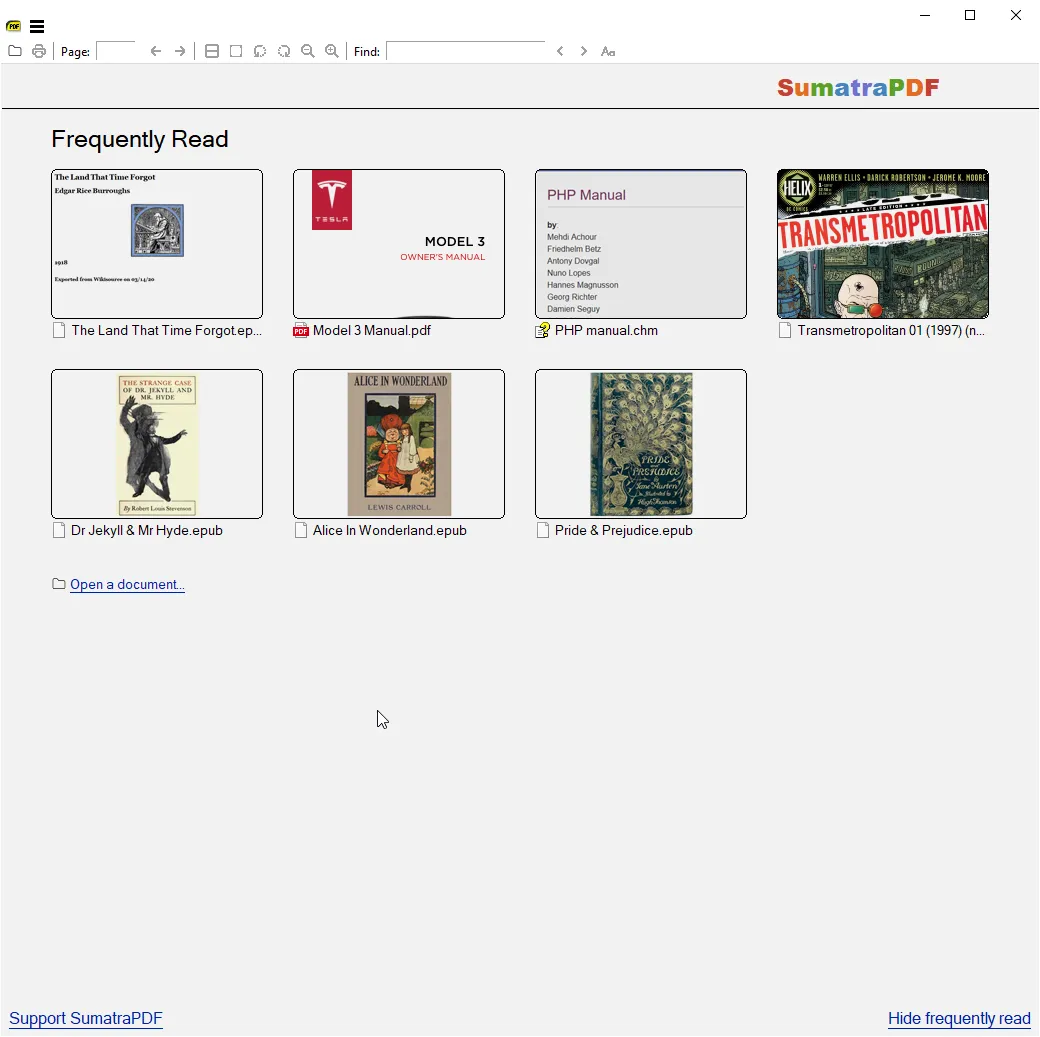
If your main goal is just to open PDFs quickly and get work done, SumatraPDF still has one of the clearest value propositions in software.
It does not try to be a document platform. It does not try to upsell a cloud suite. It does not pretend to be a full editor. It focuses on being fast, light, and reliable.
That is why it remains relevant in 2026. Many users do not actually need a PDF powerhouse. They just need a viewer that launches instantly and stays out of the way.
What Is SumatraPDF Best For in 2026?
SumatraPDF is best for:
- opening PDFs quickly on Windows
- older or lower-spec machines
- users who hate bloated document software
- people who mostly read rather than edit PDFs
- technical users who value lightweight local tools
The official site still presents it as a free PDF reader for Windows, and the project documentation plus version history remain public. That combination makes it a strong evergreen download.
Is SumatraPDF Free?
Yes. SumatraPDF remains free and open source.
That is a real competitive advantage in a category where many “free PDF tools” are really limited tiers, upsells, or bundled products. SumatraPDF’s value is straightforward: it is a lightweight reader, not a bait funnel disguised as a reader.
For users who only need to read documents, that is enough.
SumatraPDF vs Adobe Acrobat Reader
| Category | SumatraPDF | Adobe Acrobat Reader |
|---|---|---|
| Best for | fast lightweight reading | broader mainstream PDF workflow |
| Performance feel | very light | heavier |
| Editing capability | minimal | broader feature set around documents |
| Resource usage | low | higher |
| Ideal user | users who just want a fast reader | users who need broader PDF ecosystem features |
If you just want to open documents quickly, SumatraPDF is often the better experience.
If you need richer PDF ecosystem features, Adobe Acrobat Reader or newer PDF utility suites may fit better.
That is the core decision: speed and simplicity vs breadth of features.
Can SumatraPDF Edit PDFs?
Not in the way many people mean when they ask for PDF editing.
This is where users need to be realistic before downloading. SumatraPDF is primarily a viewer. If your workflow depends on advanced editing, combining documents, OCR, annotation-heavy collaboration, or form manipulation, you should look elsewhere.
That does not make SumatraPDF weak. It makes it honest.
A lot of software in this category becomes worse because it tries to do everything. SumatraPDF wins because it stays narrow.
Who Should Download SumatraPDF?
SumatraPDF is a good fit for:
- students reading lots of PDFs
- office users who just need a fast reader
- Windows users on older hardware
- technical users who want clean local software
- people replacing a heavier default PDF app
It is a weaker fit for:
- users who need strong PDF editing
- teams with annotation-heavy review workflows
- users who want all-in-one PDF conversion and manipulation
- people who need a broader document productivity suite
For those users, tools like PDF24 Creator, PDFgear, or Acrobat Reader may be more appropriate.
How to Download SumatraPDF Safely
The safe workflow is important here because PDF software is one of the oldest software categories for misleading mirrors.
Use this process:
- start at the official SumatraPDF site
- open the official download page
- choose the build that matches your Windows setup
- use the official documentation if you need additional guidance
Because SumatraPDF is popular, there is no need to gamble with third-party installers.
What Should You Download Instead If You Need PDF Editing?
This is the decision that matters most before you install SumatraPDF. If your daily workflow is mostly reading manuals, contracts, lecture notes, or ebooks, SumatraPDF is excellent because it stays light and fast. But if you regularly merge files, sign forms, annotate PDFs for review, or export documents into other formats, you should choose a broader PDF utility instead. In other words, SumatraPDF is a sharp specialist, not an all-in-one office document suite. That is why it works so well for reading and so poorly as a substitute for a real editor.
Where SumatraPDF Review works well — and where it may not
Pros
- free and open source
- extremely lightweight
- very fast launch and reading experience
- ideal for users who do not need editing
- good choice for lower-spec Windows systems
Cons
- not a full PDF editor
- intentionally limited compared with broad document suites
- best fit is narrower than some users expect
- Windows-focused rather than universal in the same sense as some web-based tools
Best Alternatives to SumatraPDF
The best alternatives depend on what you need beyond viewing:
- Adobe Acrobat Reader for broader mainstream PDF compatibility expectations
- Foxit Reader if you want another established PDF reader option
- PDF24 Creator if you need more utility-style PDF operations
- PDFgear if you want a free modern PDF toolkit approach
Relevant Hubkub reads for adjacent workflows include:
Who should download SumatraPDF Review?
Yes — if you want the fastest no-nonsense PDF reader for Windows.
SumatraPDF remains easy to recommend in 2026 because it knows what it is. It does not overpromise. It does not bury you in features you will never use. It just opens documents quickly and keeps system overhead low.
If your priority is reading PDFs fast on Windows, SumatraPDF is absolutely worth downloading.
SumatraPDF Review download and safety questions
Is SumatraPDF the fastest PDF reader for Windows?
It is widely valued for its lightweight design and fast launch behavior, which is exactly why many users choose it over heavier alternatives.
Is SumatraPDF free?
Yes. It remains free and open source.
Can SumatraPDF edit PDFs?
Not as a full editing suite. It is primarily a viewer-first tool rather than an all-in-one PDF editor.
Who should choose SumatraPDF over Adobe Acrobat Reader?
Users who mainly want fast document viewing, low system overhead, and a simple local reading experience on Windows.
Reader-first software checklist
Before installing or switching to this software, use this quick checklist to confirm whether it fits your needs and risk tolerance.
- Official source: prefer the developer website, official documentation, or a clearly trusted distribution channel.
- Platform fit: check whether your Windows, macOS, Linux, Android, or iOS version is supported.
- License and cost: confirm whether the app is free, open source, freemium, trial-based, or paid.
- Privacy and permissions: review what files, folders, network access, account data, or browser permissions the app may use.
- Backup first: for recovery, storage, networking, privacy, or system utilities, back up important data before changing settings.
Safe download and setup notes
Hubkub does not recommend clicking misleading download buttons or installing unknown bundles. When possible, use the official source and avoid third-party installers that add toolbars, browser changes, or unrelated offers. After downloading, verify the file name, publisher, version, and installer prompts before continuing.
Pros, limits, and alternatives to consider
- Best fit: readers who need the core function described in this guide and prefer a practical setup path.
- Watch out for: outdated versions, unsupported platforms, unclear installers, or features that require paid upgrades.
- Compare alternatives: if this app feels too complex, too limited, or not maintained enough for your workflow, compare it with similar tools before installing.
Related Hubkub resources: Safe Software Downloads, Software Reviews, How We Review Software, and Content Quality Standards.
FAQ
Should I download this software from any mirror site?
Use the official developer website or a trusted distribution channel whenever possible. Mirror sites can be useful in limited cases, but they may also include outdated installers, misleading ads, or unwanted bundles.
What should I check before installing?
Check the publisher, version, license, supported operating system, installer prompts, and whether the app requests sensitive permissions.