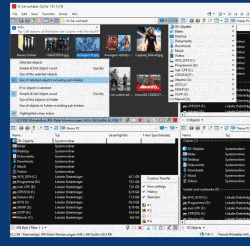
Q-Dir is worth downloading in 2026 if you want a truly lightweight Windows utility that improves folder visibility instead of pretending to replace your whole PC workflow. This review is based on the official SoftwareOK homepage, download page, FAQ, history page, EULA, and screenshots checked on April 19, 2026. Q-Dir’s selling point is not brand prestige. It is that the four-pane explorer concept remains genuinely useful for everyday Windows file work.
Last updated: April 19, 2026
- Checked the official homepage, download path, and release surface again for this update.
- Rebuilt the page as a canonical review with a visible verification block and official CTA path.
TL;DR
- Q-Dir 12.59 is still actively updated according to the official history page checked for this review, and the vendor pages stay unusually clear about version, date, supported Windows range, and package variants.
- The official pricing truth is excellent for readers: Q-Dir is presented as freeware, and the EULA explicitly uses that word instead of blurring things into trial or paid-upgrade language.
- If you want more folder visibility with almost no setup friction, Q-Dir remains easier to recommend than heavier file-management suites.
Official download path for Q-Dir Review
Hubkub does not host installers. Use the official vendor/project page first, then use this review to check fit, limits, and safer setup notes.
Hubkub verification notes for Q-Dir Review
- Official download/support links already cited on this page were checked as the preferred source path for Q-Dir Review.
- Hubkub does not host installer files; the download action points readers back to the official vendor or project source.
- This page separates practical fit, trade-offs, and safety notes so readers can decide whether Q-Dir Review matches their workflow.
Verification notes checked for Q-Dir Review
- Review basis: official source checks
- Verified on: April 19, 2026
- Official download URL: https://www.softwareok.com/?Download=Q-Dir
- Latest stable version checked: Q-Dir 12.59
- Beta version: none shown on the official pages checked for this update
- Release date shown on the official source: April 13, 2026
- Official OS support checked: Windows 11, 10, 8.1, 7, and Windows Server 2012-2025 / 2022
- Account requirement: No account is required
- File size: Homepage shows Download (840 KB); download page also lists x64 installer at 1248 K and x64 portable at 1249 K
- Display unit used: KB
- Current official installer artifact seen: Q-Dir_Installer.zip, Q-Dir_Installer_x64.zip, Q-Dir_Portable.zip, Q-Dir_Portable_x64.zip
- Signature check: verify on your device after downloading from the official source
- VirusTotal check: run your own malware scan before installing
- Hash/checksum: not exposed on the official public download page checked for this update
Why this software still matters in 2026
Q-Dir succeeds because it does one thing that standard File Explorer still does not do gracefully: it gives you more panes and more context without demanding a heavy setup or a paid license. The official SoftwareOK pages lean into that identity. The homepage, screenshots, FAQ, and history pages all present Q-Dir as a compact Windows utility designed to make everyday navigation and drag-and-drop work more visible. That is why the four-pane layout matters more than the feature-count arms race. If your workflow constantly involves comparing folders, moving files between drives, or checking several locations side by side, Q-Dir solves a real problem with very little friction.
Who should use it and who should skip it
Windows users who want to see more folders at once, work across multiple destinations frequently, or want a small freeware utility that can run installed or portable.
Skip it if: Users who need macOS or Linux support, people who want a premium modern design language, or users who really want a transfer specialist or archive manager instead of a browsing-focused tool.
Supported OS, stable version, file size, and safety checks
For this review I checked the official source path rather than a mirror summary. Q-Dir is currently documented by the vendor as supporting Windows 11, 10, 8.1, 7, Windows Server 2012-2025 / 2022. The official proof markers also surfaced Homepage shows Q-Dir 12.59; update date April 13, 2026; homepage notes Windows 11, 10, 8.1, 7 and Server 2012-2025/2022; download page exposes Q-Dir_Installer.zip, Q-Dir_Installer_x64.zip, Q-Dir_Portable.zip, and Q-Dir_Portable_x64.zip; homepage download marker shows 840 KB; EULA states THIS SOFTWARE IS FREEWARE.
Use the official SoftwareOK homepage and download page only. Those pages expose the version number, update date, supported Windows range, screenshot set, FAQ, history page, and package variants from the same vendor-controlled source. That is the trust path you want. Because Q-Dir is a lightweight Windows utility, it would be easy for mirror sites to repackage or relabel it. There is no reason to accept that risk when the official vendor pages are public and clear.
Pricing or license reality
Freeware for company, business, and private use according to the official page and EULA.
The official pricing truth is refreshingly simple here. SoftwareOK says Q-Dir is free for company, business, and private use, and the EULA explicitly includes the line “THIS SOFTWARE IS FREEWARE.” That clarity matters on Hubkub because many classic Windows utilities blur the line between free, donationware, and shareware. Q-Dir does not appear to play that game. There is no subscription table, no trial countdown, and no Pro upsell on the official pages checked for this review. The tradeoff is not cost. The tradeoff is polish and scope. You are choosing a lighter freeware utility over a more commercial, deeper, or more modern-looking file-management product.
Comparison snapshot
| Tool | Best for | Pricing reality | Bottom line |
|---|---|---|---|
| Q-Dir | Quad-pane folder browsing on Windows | Freeware | Best for seeing several locations at once with minimal setup |
| Windows File Explorer | Default Windows file browsing | Included with Windows | Best for users who are satisfied with the standard single-window workflow |
| Total Commander | Deep dual-pane file management | 30-day shareware trial | Better for advanced users who want plugins and a more veteran power-user workflow |
| TeraCopy | Transfer-focused copy and verify utility | Free base app + paid Pro | Better when safer copying matters more than multi-pane browsing |
Safe official download notes for Q-Dir Review
Use the official SoftwareOK homepage and download page only. Those pages expose the version number, update date, supported Windows range, screenshot set, FAQ, history page, and package variants from the same vendor-controlled source. That is the trust path you want. Because Q-Dir is a lightweight Windows utility, it would be easy for mirror sites to repackage or relabel it. There is no reason to accept that risk when the official vendor pages are public and clear.
If you want nearby alternatives already covered on Hubkub, start with Total Commander, Everything, PeaZip. Those pages help anchor the decision so you do not confuse a transfer utility with a file browser, or a mainstream commercial note platform with a simpler open-source note tool.
Where Q-Dir Review works well — and where it may not
Pros
- Genuinely free according to the official EULA
- Portable and installed package options are both exposed officially
- The four-pane concept solves a real folder-visibility problem with little overhead
Cons
- Windows-only positioning limits its audience immediately
- The interface feels utilitarian rather than modern
- It improves browsing more than it improves transfer safety or archive workflows
Alternatives worth considering
A canonical review should not pretend there is only one good answer. These nearby Hubkub downloads pages are the closest realistic alternatives or adjacent tools for the same workflow cluster:
Who should download Q-Dir Review?
Q-Dir is easy to recommend in 2026 if you are a Windows user who wants a better view of your folders without paying for a heavyweight file manager. Its real strength is not prestige. It is practical visibility. The four-pane layout, portable packages, and honest freeware status make it one of the cleaner classic Windows utility downloads still worth knowing about.
Q-Dir Review download and safety questions
Is Q-Dir really free?
Yes. The official SoftwareOK page says Q-Dir is free for company, business, and private use, and the official EULA includes the line “THIS SOFTWARE IS FREEWARE.” That makes Q-Dir easier to classify than many older Windows utilities, which sometimes blur shareware and freeware language. Here, the official wording is unusually direct.
Is Q-Dir safe to download?
It is reasonably safe when you use the official SoftwareOK pages. For this review I checked the homepage, dedicated download page, FAQ, history page, EULA, and screenshots page. Those official sources all line up around the same version and supported-platform story. That is a better path than pulling Q-Dir from a random download mirror or repack bundle.
What makes Q-Dir different from File Explorer?
The core difference is visibility. Q-Dir is built around seeing multiple folder panes at once, which helps when you compare locations or move files between several destinations regularly. File Explorer is simpler and already installed, but Q-Dir is the better fit for users whose daily workflow feels cramped in the default Windows layout.
Does Q-Dir have a portable version?
Yes. The official download page checked for this review lists both installer and portable package variants, including x64 packages. That is important because portable utilities still matter for technicians, flash-drive workflows, and users who want to test a tool without committing to a full installed setup immediately.
Should I choose Q-Dir, Total Commander, or TeraCopy?
Choose Q-Dir if your main problem is folder visibility. Choose Total Commander if you want a deeper classic file-manager ecosystem with plugins and a more advanced workflow. Choose TeraCopy if your main pain point is safer copying, retries, and verification rather than browsing several locations side by side. They solve related but different problems.
Reader-first software checklist
Before installing or switching to this software, use this quick checklist to confirm whether it fits your needs and risk tolerance.
- Official source: prefer the developer website, official documentation, or a clearly trusted distribution channel.
- Platform fit: check whether your Windows, macOS, Linux, Android, or iOS version is supported.
- License and cost: confirm whether the app is free, open source, freemium, trial-based, or paid.
- Privacy and permissions: review what files, folders, network access, account data, or browser permissions the app may use.
- Backup first: for recovery, storage, networking, privacy, or system utilities, back up important data before changing settings.
Safe download and setup notes
Hubkub does not recommend clicking misleading download buttons or installing unknown bundles. When possible, use the official source and avoid third-party installers that add toolbars, browser changes, or unrelated offers. After downloading, verify the file name, publisher, version, and installer prompts before continuing.
Pros, limits, and alternatives to consider
- Best fit: readers who need the core function described in this guide and prefer a practical setup path.
- Watch out for: outdated versions, unsupported platforms, unclear installers, or features that require paid upgrades.
- Compare alternatives: if this app feels too complex, too limited, or not maintained enough for your workflow, compare it with similar tools before installing.
Related Hubkub resources: Safe Software Downloads, Software Reviews, How We Review Software, and Content Quality Standards.
FAQ
Should I download this software from any mirror site?
Use the official developer website or a trusted distribution channel whenever possible. Mirror sites can be useful in limited cases, but they may also include outdated installers, misleading ads, or unwanted bundles.
What should I check before installing?
Check the publisher, version, license, supported operating system, installer prompts, and whether the app requests sensitive permissions.