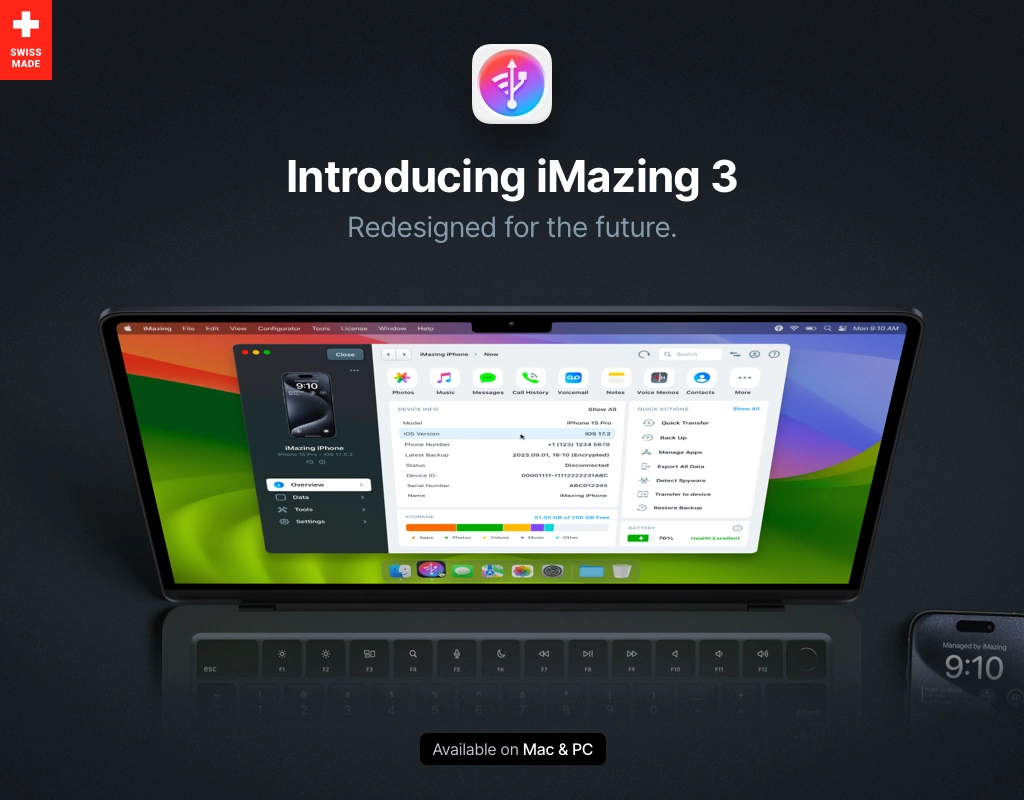
iMazing is still a credible desktop download in 2026 if you want more direct control over iPhone or iPad backups, transfers, and local data exports than Apple’s default tools usually expose. This review is based only on official sources checked on April 20, 2026. I verified the official homepage, the official download page, the official support center, the official Windows release-notes path, the official free-downloads page, the official store page, and the Thaiware discovery page used only for provenance.
Last updated: April 20, 2026
- Rechecked the official Windows download facts, release-notes path, support center, and free-download wording for the current version story.
- Confirmed the current official store pricing display and the clean official screenshot asset before publish.
Key takeaways
- iMazing is best for people who want backup, transfer, and device-management features on Windows or Mac without relying only on Apple’s default sync path.
- The official download page exposed version 3.5.2, Windows size 211.9 MB, compatibility Windows 7 or higher, and a matching release date of Apr 2, 2026.
- Safe download path: use the official iMazing download page plus the matching official release-notes link and support center, not an old software mirror that hides current licensing limits.
Official download path for iMazing Review
Hubkub does not host installers. Use the official vendor/project page first, then use this review to check fit, limits, and safer setup notes.
Hubkub verification notes for iMazing Review
- Official download/support links already cited on this page were checked as the preferred source path for iMazing Review.
- Hubkub does not host installer files; the download action points readers back to the official vendor or project source.
- This page separates practical fit, trade-offs, and safety notes so readers can decide whether iMazing Review matches their workflow.
What I verified for this review
- Review type: official-source review
- Thaiware discovery URL: https://software.thaiware.com/8414.html
- Official homepage: https://imazing.com/
- Official download URL: https://imazing.com/download
- Official docs/help checked: https://imazing.com/support
- Official release source checked: https://downloads.imazing.com/windows/iMazing/3.5.2/release-notes.html
- Latest stable version checked: 3.5.2
- Release date shown on the official page: Apr 2, 2026
- Current official installer artifact seen: iMazing3forWindows.exe via the official free-downloads page
- Official OS support checked: Windows 7 or higher; macOS 10.12 or higher
- Pricing / license reality checked: some features require a license, free backup and media/document push features are still described on the official free-downloads page, and the official store currently shows annual personal plans in Thai baht
Intro
iMazing sits in a useful middle ground. It is not a simple nearby-sharing app like LocalSend, and it is not just a lightweight cross-device bridge like KDE Connect. Its pitch is deeper device management: local backups, transfers, exports, and utility features for iPhone, iPad, and iPod users on Windows and Mac.
That broader scope is also why the licensing story matters so much. Earlier in the bounded cycle, this was not clean enough for unattended publish. The official product pages solved that once I checked the exact wording across the official download page, free-downloads page, and store. The safe summary is not “free” and not “paid-only.” The official pages say some features require a license, while the official free-downloads page says you can still back up your iOS devices and push media or documents without even registering.
So the buying logic is clearer now: iMazing can be worthwhile even before you pay, but the premium features and larger long-term workflow are license-driven. That is the honest trust layer a canonical review needs.
Best for and real use case
iMazing is best for people who want more explicit control over iPhone or iPad backups, file transfers, exports, and device-management tasks on a desktop computer. If you want to keep local archives, inspect content more directly, or move beyond the narrow comfort zone of Apple’s default sync tools, iMazing is the kind of software that can justify its footprint.
It is a weaker fit if your only goal is simple cross-device file sharing. In that case, a lighter tool like Syncthing or LocalSend may be enough. It is also not the best pick if you expect a permanently unlimited free tier for all advanced features, because the official pages do not claim that.
Pricing or license reality
This is the key proof layer for iMazing. The official free-downloads page says the app itself is available as a official download page and that some features require a license, but it also explicitly states that you can back up your iOS devices and push media or documents to your iPhone or iPad without even registering. That is stronger than vague “try before you buy” wording because it identifies real no-registration use.
The official store page then makes the paid path visible. When checked for this review, the store displayed a Personal Subscription for up to 5 Apple mobile devices per year at 1,634.43 ฿ per year, and a Personal Subscription • Family plan for up to 20 devices at 2,942.23 ฿ per year. That means the truthful description is freemium with paid annual licensing, not freeware, and not a simple one-time-only desktop utility in the way some older Thaiware listings can imply.
Comparison snapshot
| Tool | Best for | What it does better than iMazing | Where iMazing still wins |
|---|---|---|---|
| iMazing | Desktop backup and iPhone/iPad management | Balanced free-entry path plus deep device-management feature set | Best fit when you need backups and local control from a PC or Mac |
| AirDroid | Android-first remote access and transfers | Broader Android and remote-control framing | iMazing is more tightly focused on Apple mobile device management |
| KDE Connect | Light cross-device bridging | Simpler, lighter, and often enough for notifications or file handoff | iMazing goes much deeper on backups and Apple device data tasks |
| Apple Devices app for Windows | Basic official Apple management route | Native first-party path for simple mainstream workflows | iMazing offers a broader third-party feature set for power users |
| Syncthing | Folder sync and self-hosted transfer | Better if you want decentralized file sync instead of device-management logic | iMazing is purpose-built for iPhone and iPad management tasks |
Safe official download notes for iMazing Review
The safest path is the official iMazing download page. For this review, that page exposed version 3.5.2, release date Apr 2, 2026, Windows size 211.9 MB, compatibility Windows 7 or higher, and a direct official release-notes link for Windows. The official free-downloads page then exposed the current Windows artifact route iMazing3forWindows.exe.
That combination matters because iPhone-management software is a higher-trust category than casual utilities. It touches backups, device content, and sometimes sensitive personal data. If a software mirror strips context about the current license limits, old builds, or current support pages, that is not just a cosmetic problem. Use the vendor pages first and keep the release-notes trail in view.
iMazing Review pros and cons: fit notes
- Pros: strong official proof layer, exact version/date/size data on the official download page, visible support center, useful free-entry features, and a polished official screenshot asset.
- Cons: bigger install size than lighter utilities, paid annual licensing matters for advanced workflows, and the category can overlap conceptually with simpler transfer tools unless you understand the backup/device-management focus.
Alternatives
If you mainly want Android remote access or multi-screen phone workflows, AirDroid may be the closer comparison. If you only need lightweight cross-device transfer, LocalSend or KDE Connect can be more sensible. If you want decentralized sync rather than device backups, Syncthing is the cleaner choice. But if your real problem is “I need a desktop tool for backups, transfers, and deeper Apple-device management,” iMazing stays in a different class from those lighter utilities.
Who should download iMazing Review?
iMazing is worth considering in 2026 if you want more control over iPhone or iPad backup and transfer workflows than the default Apple path usually offers. The official source layer is strong, the version story is explicit, and the licensing reality is finally clear enough for a trustworthy review: some features require a paid license, but the official site still exposes meaningful free use for backups and pushing media or documents. If you need that deeper desktop-management lane, iMazing looks like a legitimate download rather than a vague “phone tool” bucket entry.
iMazing Review download and safety questions
Is iMazing safe to download in 2026?
It looks safe if you use the official iMazing download page and keep the official release-notes path in view. The official site exposed version 3.5.2, release date Apr 2, 2026, Windows size 211.9 MB, compatibility details, and support links. That is the kind of proof layer you want for software that handles phone backups and device content.
What can I do for free in iMazing?
The official free-downloads page says some features require a license, but it also explicitly says you can back up your iOS devices and push media or documents to your iPhone or iPad without even registering. So there is real free utility here, but not a promise that every advanced feature remains permanently included without payment.
Is iMazing a subscription now?
The official store page checked for this review displayed annual personal subscription plans in Thai baht, including a 5-device personal plan and a 20-device family plan. That means the honest present-tense description is subscription-based personal licensing, not just a timeless freeware desktop tool.
Does iMazing replace iTunes or Finder backups?
For many users, that is the point of considering it. iMazing is presented as a deeper iPhone and iPad management utility with backups, transfers, exports, and related desktop workflows. Whether it fully replaces your Apple-first path depends on your setup, but it clearly aims at users who want more direct control.
Who should choose iMazing over AirDroid or KDE Connect?
Choose iMazing if your main job is Apple-device backup, transfer, or local management on a PC or Mac. Choose AirDroid or KDE Connect if your problem is lighter cross-device sharing, Android access, or simpler day-to-day bridging between devices. iMazing becomes easier to justify when backup depth matters more than lightweight convenience.
Reader-first software checklist
Before installing or switching to this software, use this quick checklist to confirm whether it fits your needs and risk tolerance.
- Official source: prefer the developer website, official documentation, or a clearly trusted distribution channel.
- Platform fit: check whether your Windows, macOS, Linux, Android, or iOS version is supported.
- License and cost: confirm whether the app is free, open source, freemium, trial-based, or paid.
- Privacy and permissions: review what files, folders, network access, account data, or browser permissions the app may use.
- Backup first: for recovery, storage, networking, privacy, or system utilities, back up important data before changing settings.
Safe download and setup notes
Hubkub does not recommend clicking misleading download buttons or installing unknown bundles. When possible, use the official source and avoid third-party installers that add toolbars, browser changes, or unrelated offers. After downloading, verify the file name, publisher, version, and installer prompts before continuing.
Pros, limits, and alternatives to consider
- Best fit: readers who need the core function described in this guide and prefer a practical setup path.
- Watch out for: outdated versions, unsupported platforms, unclear installers, or features that require paid upgrades.
- Compare alternatives: if this app feels too complex, too limited, or not maintained enough for your workflow, compare it with similar tools before installing.
Related Hubkub resources: Safe Software Downloads, Software Reviews, How We Review Software, and Content Quality Standards.
FAQ
Should I download this software from any mirror site?
Use the official developer website or a trusted distribution channel whenever possible. Mirror sites can be useful in limited cases, but they may also include outdated installers, misleading ads, or unwanted bundles.
What should I check before installing?
Check the publisher, version, license, supported operating system, installer prompts, and whether the app requests sensitive permissions.