RustDesk is suddenly showing up in more remote-work, self-hosting, and open-source software conversations because it offers something many users want in 2026: a remote desktop tool that is open source, cross-platform, and usable with self-hosted server options instead of forcing everyone into a closed commercial model.
Key takeaways
- RustDesk is an open-source remote desktop tool positioned as an alternative to TeamViewer and AnyDesk.
- Its biggest appeal is control: self-hosted server support matters to users who care about privacy, cost, and infrastructure flexibility.
- RustDesk is cross-platform, with official references for Windows, macOS, Linux, Android, and iOS across its official site and GitHub surfaces.
If you have been seeing RustDesk more often lately, that is not random. The market around remote support and remote access tools is changing. Users are more skeptical of expensive closed software, more interested in self-hosted setups, and more willing to switch if an open-source product feels good enough for real work. RustDesk lands right in that gap.
What is RustDesk?
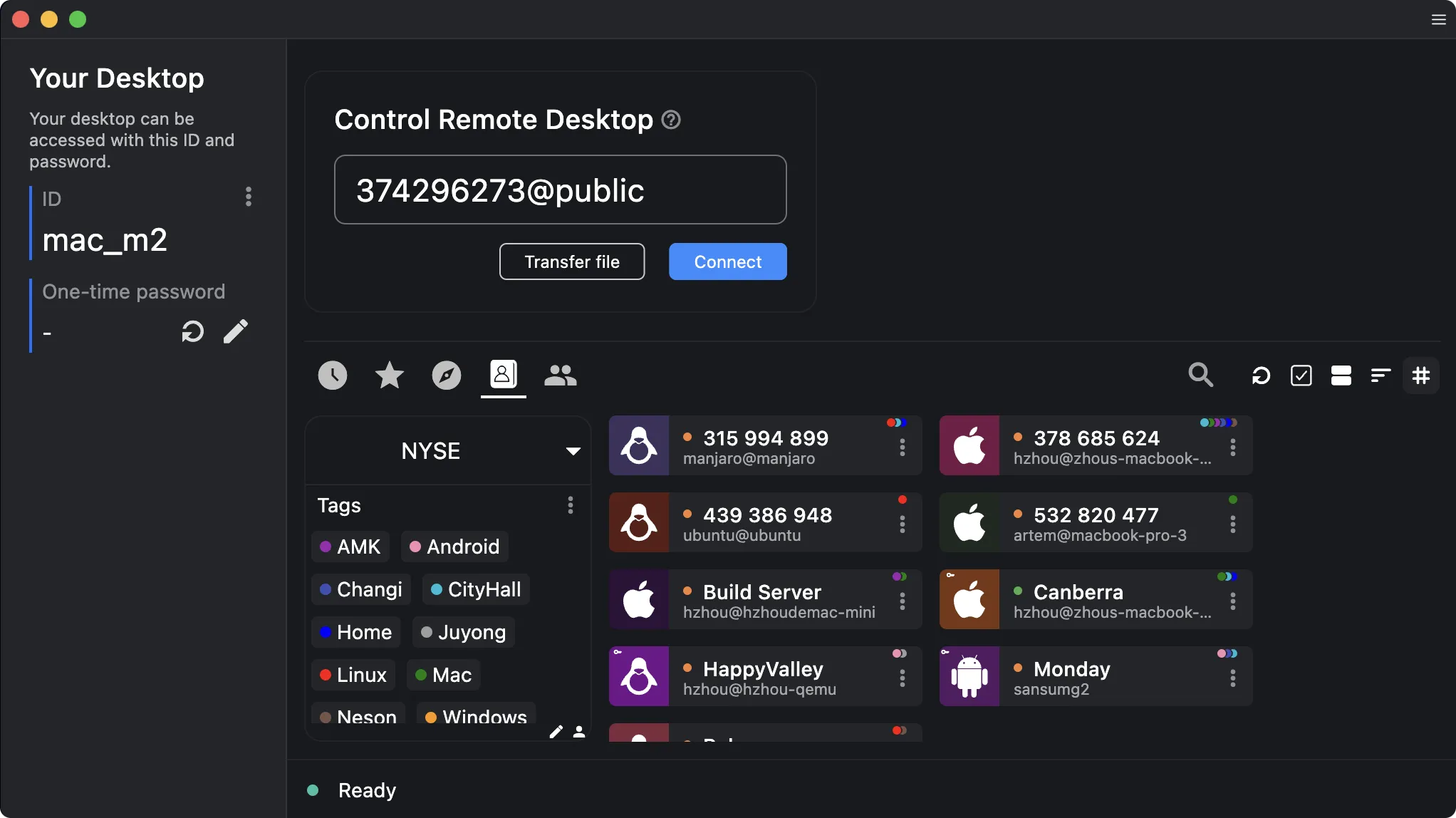
RustDesk is an open-source remote desktop application that markets itself as a self-hosting-friendly alternative to tools like TeamViewer and AnyDesk. On its official homepage and GitHub repository, RustDesk presents itself as a remote desktop option for users who want cross-platform support without giving up control over the server side of the stack.
That is the key reason the name is spreading: the product is not just “another remote control app.” It sits at the intersection of three hot software themes in 2026:
- open-source trust
- self-hosted infrastructure
- cross-platform remote access
That mix gives it broader appeal than a niche Linux-only project while still making it attractive to privacy-conscious power users.
Why is RustDesk getting more attention now?
There are four reasons RustDesk feels more relevant now than it did a year ago.
1. Open-source trust matters more
A lot of remote desktop traffic now comes from people who are actively looking for alternatives to proprietary software. For some teams, the issue is price. For others, it is control over data, connection paths, or deployment options. RustDesk benefits from being easy to describe in one sentence: open-source remote desktop with self-hosted server options.
That is a much stronger positioning line in 2026 than a generic “remote support tool.”
2. Self-hosting is no longer a niche idea
The official RustDesk site repeatedly highlights self-hosted server solutions, and that matters. Even users who never fully self-host their own stack like the fact that the option exists. It signals flexibility, control, and a lower long-term lock-in risk.
3. Cross-platform support removes the biggest adoption blocker
A lot of open-source tools still struggle because they only work well on one or two operating systems. RustDesk has a stronger story here. Across the official site, GitHub repository, and release pages, the project clearly references support across desktop and mobile environments including Windows, macOS, Linux, Android, and iOS.
That instantly makes it more relevant for mixed-device households, remote support workers, and small IT teams.
4. The comparison market is wide open
Users are still actively comparing TeamViewer, AnyDesk, RustDesk, and self-hosted options. That means the search demand is not only “what is RustDesk?” but also:
- is RustDesk safe?
- is RustDesk better than TeamViewer?
- can I self-host RustDesk?
- is RustDesk good enough for support work?
When one product can answer all four, it tends to pick up momentum fast.
RustDesk vs TeamViewer and AnyDesk in plain English
RustDesk is not automatically the best choice for everyone, but its value proposition is clearer than many smaller alternatives.
| Tool | Best for | Tradeoff |
|---|---|---|
| RustDesk | Users who want open-source transparency and self-hosted flexibility | May require more setup thinking than pure plug-and-play tools |
| TeamViewer | Users who want a familiar commercial tool with broad recognition | Can feel expensive or restrictive depending on usage pattern |
| AnyDesk | Users who want a lightweight commercial remote access option | Still a proprietary model, so control/flexibility is lower than self-hosted-friendly tools |
The real reason RustDesk is trending is not that it destroys these products on every metric. It is that it gives users a different combination of values: openness, control, and broad device support.
Who should use RustDesk?
RustDesk looks strongest for these groups:
- power users who dislike vendor lock-in
- self-hosters
- home labs and small internal IT setups
- people supporting family or small teams across mixed devices
- privacy-conscious users who want more control over the remote desktop stack
Who should skip RustDesk?
RustDesk may not be the best first choice if you want the most commercial hand-holding possible with zero curiosity about how the platform works. If your only goal is “install app, click one button, never think about infrastructure again,” a mainstream paid product may still feel simpler.
That does not make RustDesk worse. It just means its strongest value is tied to flexibility and control, and those advantages matter most when the user actually wants them.
Is RustDesk safe to use?
The most accurate way to answer this is: RustDesk looks credible because the project is openly published, actively maintained in public on GitHub, and clear about its remote desktop/self-hosted positioning. But like any remote access tool, safety depends on how it is deployed, updated, and configured.
That is an important distinction. “Open source” does not mean “automatically safe in every setup.” What it does mean is that the project is easier to inspect, discuss, and audit than a fully closed alternative. For many technical users, that alone is a meaningful reason to pay attention.
Why this matters beyond one app
RustDesk is part of a bigger shift in software buying behavior. People are no longer comparing tools only on features. They are also comparing:
- open vs closed
- self-hosted vs locked-in
- transparent vs opaque
- flexible vs vendor-controlled
That is why RustDesk feels bigger than a simple download recommendation right now. It represents the kind of software category change that tends to create durable search demand, not just a one-day spike.
Final verdict
RustDesk is worth watching because it sits in exactly the part of the market that is growing: open-source tools that can still serve practical day-to-day workflows. It will not replace every commercial remote desktop product overnight, but it has a much better story than “cheap TeamViewer clone.”
The right way to think about it in 2026 is this: RustDesk is becoming one of the most visible examples of how open-source remote desktop software can move from enthusiast tool to mainstream alternative.
If you are also comparing other cross-device and productivity workflows, Hubkub already has guides on Quick Share for Windows and LocalSend, which help frame where remote desktop ends and local file-sharing tools begin.
Sources checked for this article
- Official site: RustDesk
- Official repository: rustdesk/rustdesk on GitHub
- Official releases: RustDesk Releases
- Independent attention check: How-To Geek on open-source TeamViewer alternatives
FAQ
Is RustDesk really open source?
Yes. RustDesk presents itself publicly as an open-source remote desktop application, and its official GitHub repository is available under the RustDesk organization.
Can you self-host RustDesk?
Yes. Self-hosted server options are one of the most important parts of RustDesk’s public positioning and one of the main reasons it is getting more attention.
Is RustDesk available on Windows and Linux?
Yes. The official RustDesk site and GitHub release surfaces reference support across Windows, Linux, macOS, Android, and iOS.
Is RustDesk replacing TeamViewer?
Not for everyone. But for users who prioritize open-source transparency, self-hosting flexibility, and lower lock-in, RustDesk is one of the clearest alternatives to evaluate right now.
Reader decision checklist
Use this checklist to turn the article into a practical next step instead of a passive read.
- Confirm the main claim: compare the article with official documentation, release notes, or your own dashboard when the topic affects production work.
- Assess your use case: decide whether this matters for personal use, a small team, or an administrator workflow.
- Check risk: identify whether account access, data privacy, security, cost, or compatibility is involved.
- Take the smallest safe step: test in a low-risk environment before changing a main device, account, or production setup.
Related Hubkub resources: Content Quality Standards, Editorial Policy, and Corrections Policy.