Table of Contents
- What Is Two-Factor Authentication and How Does It Work?
- Why SMS Two-Factor Authentication Is No Longer Safe
- Stronger Alternatives to SMS Two-Factor Authentication
- Common Questions — Two-Factor Authentication
- Conclusion: Upgrade Your Two-Factor Authentication Now
- Security editorial note
- Related Hubkub resources
- Practical security action checklist
- FAQ
Did you know that over 80% of hacking-related breaches involve stolen or weak credentials? Two-factor authentication (2FA) was supposed to fix that — and it did, for a while. But in 2026, relying on SMS-based two-factor authentication is like locking your front door and leaving the window wide open. Cybercriminals have developed sophisticated techniques to bypass SMS 2FA, and millions of users remain dangerously exposed without realizing it. If you are still using SMS as your second factor, this article explains exactly why that needs to change today — and what to use instead to truly protect your accounts.
What Is Two-Factor Authentication and How Does It Work?
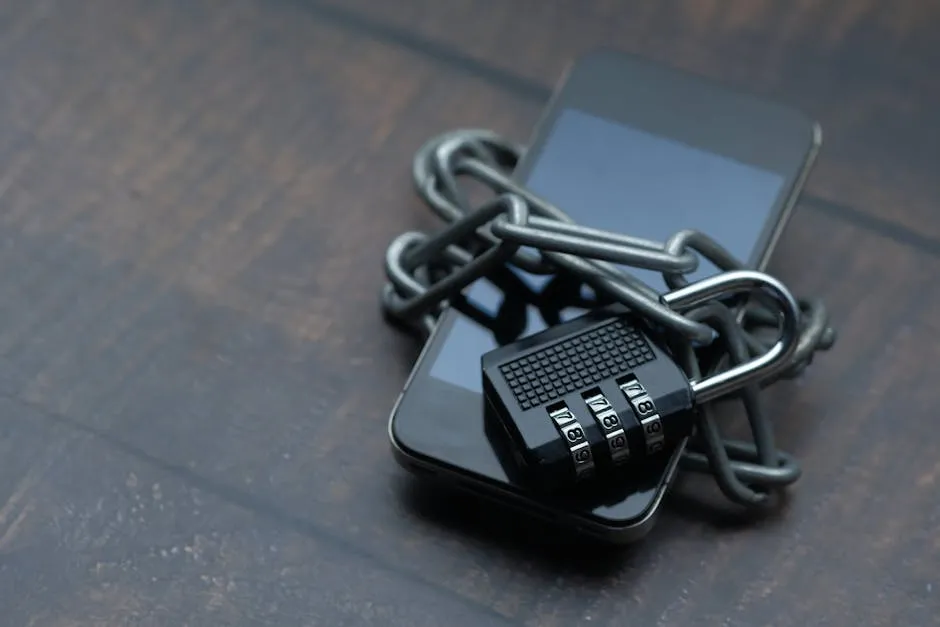
Two-factor authentication is a security process that requires users to verify their identity using two distinct methods before gaining access to an account. The concept is built on three possible factor types: something you know (like a password), something you have (like a phone or hardware key), and something you are (like a fingerprint). Combining any two of these dramatically reduces the chance of unauthorized access.
SMS-based 2FA sends a one-time password (OTP) to your registered phone number. It became the default second factor for most banks, social networks, and email providers because it was easy to deploy and required no extra app. The problem? Your phone number is far less secure than most people assume.
The Weak Link: Your Phone Number
Phone numbers were never designed to be identity credentials. They can be transferred, hijacked, or intercepted with surprising ease. The entire security of SMS 2FA rests on the assumption that only you control your phone number — and that assumption breaks down regularly in the real world.
Why SMS Two-Factor Authentication Is No Longer Safe
Security researchers and regulators have been warning about SMS 2FA weaknesses for years. The National Institute of Standards and Technology (NIST) officially deprecated SMS-based authentication back in 2016. Here is why the threat has only grown since then:
- SIM Swapping Attacks: Attackers call your mobile carrier, impersonate you using personal data found online or purchased on the dark web, and convince the carrier to transfer your number to a SIM card they control. Within minutes, every SMS sent to your number goes to the attacker. High-profile victims have lost millions of dollars in cryptocurrency and had social media accounts hijacked this way.
- SS7 Protocol Vulnerabilities: The Signaling System 7 (SS7) protocol was designed in 1975 to route phone calls globally. It has known security flaws that allow sophisticated attackers — including nation-state actors — to intercept SMS messages without ever touching your phone or contacting your carrier.
- Real-Time Phishing Kits: Modern phishing toolkits like Evilginx act as man-in-the-middle proxies. When you enter your password and SMS code on a fake login page, the tool instantly replays those credentials on the real site before your OTP expires. The attacker gets full session access even with SMS 2FA enabled.
- Malware on Mobile Devices: If your smartphone is infected with malware, attackers can silently read incoming SMS messages without any carrier involvement at all.
For more guidance on recognizing digital threats, visit our Security articles section.
Stronger Alternatives to SMS Two-Factor Authentication
Switching away from SMS 2FA is easier than most people expect. Here are the best alternatives ranked from good to best:
- Authenticator Apps (TOTP): Apps like Google Authenticator, Authy, or Microsoft Authenticator generate time-based one-time passwords (TOTP) locally on your device. They are not transmitted over phone networks, so SIM swapping and SS7 attacks cannot intercept them. Set these up first for your most important accounts — email, banking, and password manager.
- Hardware Security Keys (FIDO2/WebAuthn): Physical keys like YubiKey or Google Titan Key offer the strongest protection available to consumers. They use public-key cryptography and are bound to specific website domains, making them completely immune to phishing. Even if you enter your credentials on a fake site, the key will refuse to authenticate because the domain does not match.
- Passkeys: Passkeys are the newest standard, now supported by Apple, Google, and Microsoft. They replace passwords entirely with device-based cryptographic keys tied to your biometrics (face or fingerprint). No password to steal, no OTP to intercept.
- Push Notification 2FA: Apps like Duo Security send a push notification to your registered device asking you to approve or deny a login attempt. While better than SMS, push fatigue attacks (where attackers spam approval requests hoping you accidentally tap “Allow”) are a known weakness. Enable number matching or biometric confirmation where available.
- Backup Codes: Always generate and store backup codes when setting up any form of 2FA. Keep them in a password manager or printed and stored securely offline. These are your lifeline if you lose access to your primary 2FA device.
The NIST Digital Identity Guidelines (SP 800-63B) provide the authoritative framework for authentication strength levels and are worth reviewing if you manage security for an organization.
Common Questions — Two-Factor Authentication
Is SMS 2FA better than no 2FA at all?
Yes — SMS 2FA still stops the majority of automated credential-stuffing attacks and opportunistic hackers. However, for any account containing sensitive financial, personal, or business data, the risks of SMS 2FA outweigh its convenience. Upgrade to an authenticator app or hardware key for those accounts.
Can my authenticator app be hacked?
Authenticator apps are significantly harder to attack than SMS. The main risks are device malware, someone having physical access to your included phone, and phishing pages that capture TOTP codes in real time. Hardware security keys eliminate all of these risks. Always lock your phone with a strong PIN or biometric lock.
What is a SIM swap attack and how do I prevent it?
A SIM swap is when an attacker convinces your mobile carrier to reassign your phone number to their SIM card. To prevent it: add a carrier-level PIN or passphrase to your mobile account, switch to an authenticator app so your phone number is no longer a security factor, and freeze your account for number porting requests where your carrier allows it.
Which accounts should I prioritize for stronger 2FA?
Start with your email account — it is the master key to everything else. Then secure your password manager, bank and financial accounts, primary social media accounts, and any account with payment information stored. Use a hardware key or authenticator app for all of these, and move SMS 2FA only to lower-priority accounts if you must use it at all.
Conclusion: Upgrade Your Two-Factor Authentication Now
The key takeaways from this guide are clear:
- SMS two-factor authentication is vulnerable to SIM swapping, SS7 interception, and real-time phishing — threats that are growing in frequency and sophistication.
- Authenticator apps are a free, immediate upgrade that eliminates carrier-level attack vectors for most users.
- Hardware security keys and passkeys represent the gold standard of authentication and are becoming increasingly easy to adopt in 2026.
Do not wait for a breach to motivate a change. Spend 15 minutes this week updating your most important accounts to use an authenticator app or hardware key. For more practical security guidance, explore our full Security section — and consider pairing better 2FA with a deep dive into advanced cybersecurity topics to stay ahead of evolving threats.
See also: Cybersecurity Guide: How to Protect Your Digital Life in 2026 — browse all Security articles on Hubkub.
Related Articles
- WiFi Security: Protecting Your Home Network in 2026
- Phishing Defense: How to Spot Attacks That Look Legitimate
- USB Security: Why You Should Never Plug Unknown Drives Into Your Computer
Last Updated: April 13, 2026
Security editorial note
This checklist is written for practical risk reduction. Hubkub aims to separate confirmed facts from recommended defensive actions, link readers to related guidance where useful, and update security content when important details change. Always verify urgent incidents against your vendor, administrator dashboard, or official security advisory before making production changes.
Learn more about our standards in Editorial Policy, Content Quality Standards, and Corrections Policy.
Related Hubkub resources
Practical security action checklist
Use this section as a practical follow-up checklist. Security articles can become outdated quickly, so verify urgent details against your vendor dashboard, official advisory, or administrator logs before making production changes.
- Confirm scope: identify which accounts, devices, repositories, integrations, or services may be affected.
- Rotate sensitive access: review tokens, passwords, API keys, SSH keys, OAuth apps, and browser sessions when the risk involves account or infrastructure access.
- Check logs: look for unusual sign-ins, permission changes, deployment events, package changes, or data exports.
- Patch and document: apply vendor guidance, record what changed, and schedule a follow-up review.
Related Hubkub resources: Security Checklists, Content Quality Standards, and Corrections Policy.
FAQ
Should I act immediately on every security checklist?
Prioritize based on exposure. Confirm whether your account, service, repository, device, or organization is affected, then follow official vendor guidance.
What is the safest first step?
Preserve logs, check account activity, rotate high-risk credentials if needed, and apply patches or configuration changes in a controlled way.