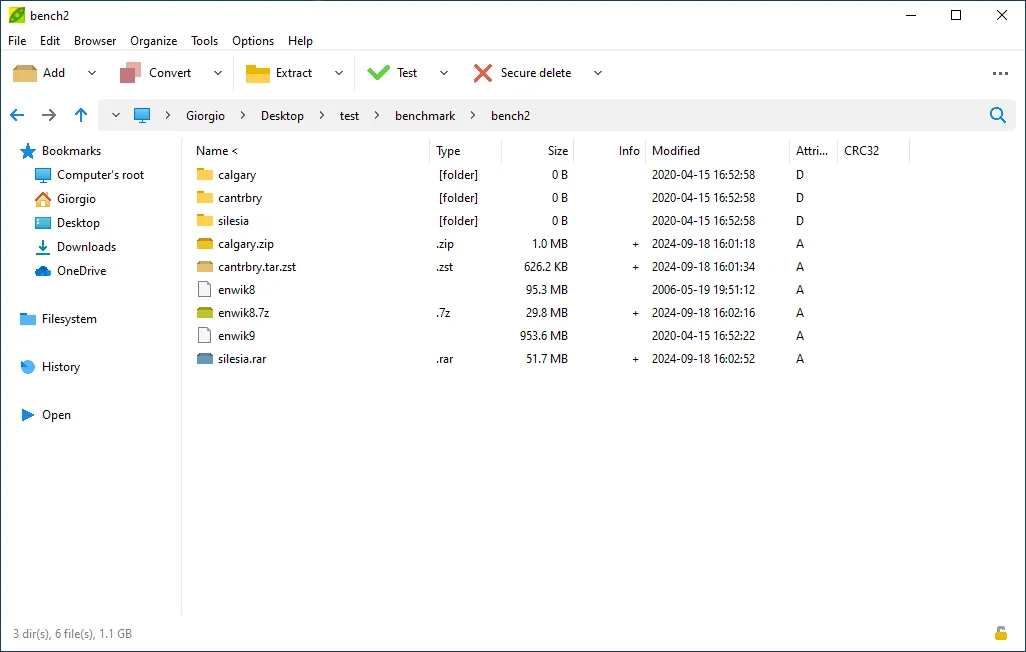
Editorial scope and sources: This is a source-verified download guide, not a hands-on review. Hubkub checked PeaZip’s official project and download pages on July 29, 2026. The publisher listed PeaZip 11.2.0 at that time. Package availability, format support, and encryption options can change, so confirm the current release notes and download page before installing.
PeaZip is worth considering when an archive job needs more than simply opening a ZIP file: it provides a graphical archive manager across Windows, Linux, and macOS, with official portable options and a broad format focus. It is less useful when Windows’ built-in extractor already completes a simple one-off task, or when a company-managed computer only permits approved software.
Official download: Download PeaZip from the publisher’s official site
Official download URL: https://peazip.github.io/
Key takeaways
- PeaZip 11.2.0 was listed on the official project pages when this guide was checked on July 29, 2026.
- The publisher provides platform-specific routes for Windows and Linux and describes portable packages; choose a package for the operating system rather than downloading an executable from a third-party mirror.
- An archive password is not a recovery plan. Store passwords and any key files safely, and test extraction before deleting the original files.
- PeaZip is an archive-management tool, not a guarantee that every damaged, encrypted, or proprietary archive can be recovered.
Choose PeaZip for the archive workflow, not for a generic “best compressor” claim
PeaZip is an open-source archive utility built around a graphical interface and several archive and compression technologies. The official project describes support for opening and extracting many archive formats, including common ZIP, 7Z, TAR, and RAR files. That broad scope is useful when a folder contains mixed archives, when an archive must be tested before a cleanup, or when the workflow needs an interface for encryption and format choices.
The decision is different from choosing a tool solely by a compression-ratio headline. Archive format, compatibility with the recipient, whether the files need encryption, and whether the archive must work on another operating system are usually more important than a generic “fastest” label. This guide does not claim a benchmark result or a personal installation test.
What the official pages supported when checked
On July 29, 2026, the official PeaZip site displayed version 11.2.0. Its project pages described PeaZip as a cross-platform archive manager for Windows, Linux, and macOS, with portable-package options. The Linux download page listed x86_64 routes and package choices such as DEB and RPM, plus a Flatpak route supplied through Flathub. Those choices are platform and architecture specific: readers should not assume that a package intended for Linux x86_64 fits ARM hardware or that a Windows package is appropriate for a managed work device.
For Windows, start from the publisher’s Windows download route. For Linux, select the package type that matches the distribution’s normal update and security workflow. A portable package can reduce installation changes, but it does not remove the need to verify the publisher, archive location, and permissions on the machine where it runs.
Before downloading: use the publisher’s route and check the package
- Open the official PeaZip site rather than searching for a filename on a download mirror.
- Choose the operating-system page first, then select the architecture and package type shown there.
- Read the current release information before replacing an existing archive tool or changing a shared workflow.
- If the publisher supplies integrity information for a release, compare it using the publisher’s instructions before opening the downloaded file.
- On a managed school or work computer, confirm that the package and portable use are permitted by the device policy.
These are file-safety steps, not evidence that Hubkub installed PeaZip. They help separate a publisher-controlled download path from a lookalike or repackaged download.
Encryption: decide how keys and recovery will work before creating the archive
The official project describes encryption options and password/key-file support for formats that allow it. Encryption can protect an archive from casual access, but it also creates a failure mode: if the password or key material is lost, the data may be inaccessible. Do not put the only copy of an important document into a newly encrypted archive and then delete the originals immediately.
A safer sequence is to make a small archive first, record the password in an approved password manager or another controlled system, extract it into a separate test folder, and confirm that the expected files open. For team work, agree who is allowed to hold the password and where the recovery instructions live. Avoid sending an encrypted archive and its password through the same uncontrolled channel.
Archive first, test extraction, then decide whether deletion is safe
Creating an archive is not the same as verifying a backup. Before cleaning up originals, check the resulting archive with the application’s test or extraction workflow where appropriate, extract a sample or the full archive to a separate location, and open representative files. This matters especially for photos, project folders, databases, and long-term records, where a file can look present while the contained data is not usable.
Keep the original data until the archive has been checked and there is another appropriate copy. If the source drive is showing errors or the files may already be damaged, an archive tool is not a substitute for a data-recovery plan.
PeaZip, NanaZip, and 7-Zip: choose by environment and workflow
| Need | Decision boundary |
|---|---|
| Cross-platform graphical archive management | PeaZip is a reasonable route to evaluate because the publisher provides Windows, Linux, and macOS coverage and portable options. |
| Windows-focused 7-Zip-compatible workflow | Compare the package and deployment model with NanaZip; do not switch an established company archive workflow without checking policy and compatibility. |
| Minimal, established archive utility | Compare with 7-Zip if its package availability and interface fit the machine better. |
| Only opening one ordinary ZIP file | The operating system’s existing extractor may be enough; adding a new tool may not create meaningful value. |
Limits to keep in mind
- Format support does not guarantee that a corrupted archive, missing password, or incomplete download can be repaired.
- Encryption can prevent access by unauthorized people, but it can also lock out the legitimate owner when key handling is poor.
- Portable software still needs to be obtained from a trusted source and may be restricted on managed devices.
- Archive compression does not replace a separate backup strategy, version history, or an off-device copy for important data.
When another tool is the better fit
Choose a recovery-oriented utility only when the real problem is lost or damaged data, not normal compression; see Hubkub’s source-verified Recuva guide for its separate recovery-safety boundaries. For storage investigation before moving or archiving large folders, a disk-usage tool such as WizTree addresses a different question: where the space is being used. Neither category guarantees safe deletion.
Bottom line
PeaZip has a clear role for people who need a publisher-provided, cross-platform archive manager with format, portable-package, and encryption choices to evaluate. Start with the official platform download page, choose the package for the machine and policy context, test an archive before deleting originals, and treat password or key management as part of the job—not an afterthought.
FAQ
Is this a hands-on PeaZip review?
No. This is a source-verified guide based on PeaZip’s official project and download pages checked July 29, 2026. It does not claim that Hubkub installed, benchmarked, or tested an archive workflow.
Which PeaZip version was current when this guide was checked?
The official project pages displayed PeaZip 11.2.0 on July 29, 2026. Confirm the current listing on the publisher’s site before downloading because releases can change.
Is a portable archive manager automatically safer?
No. A portable package may avoid a conventional installation, but it still needs to come from the real publisher and may still be restricted by an organization’s device policy.
Can I delete the originals after making an encrypted archive?
Not until you have tested extraction, opened representative files, confirmed that the password or key can be recovered, and kept another appropriate copy of important data.